 Leta
Model
A part is a history of features that rebuilds when any value changes. Each feature's settings sit in a strip of cards under the ribbon, with a live preview while they are set, and a feature that cannot build says why while the rest of the part still builds.
Shapes
Extrude, Revolve, Sweep and Blend add material, remove it or keep only where they meet the part, from sketches, regions of a sketch or flat faces of the model.
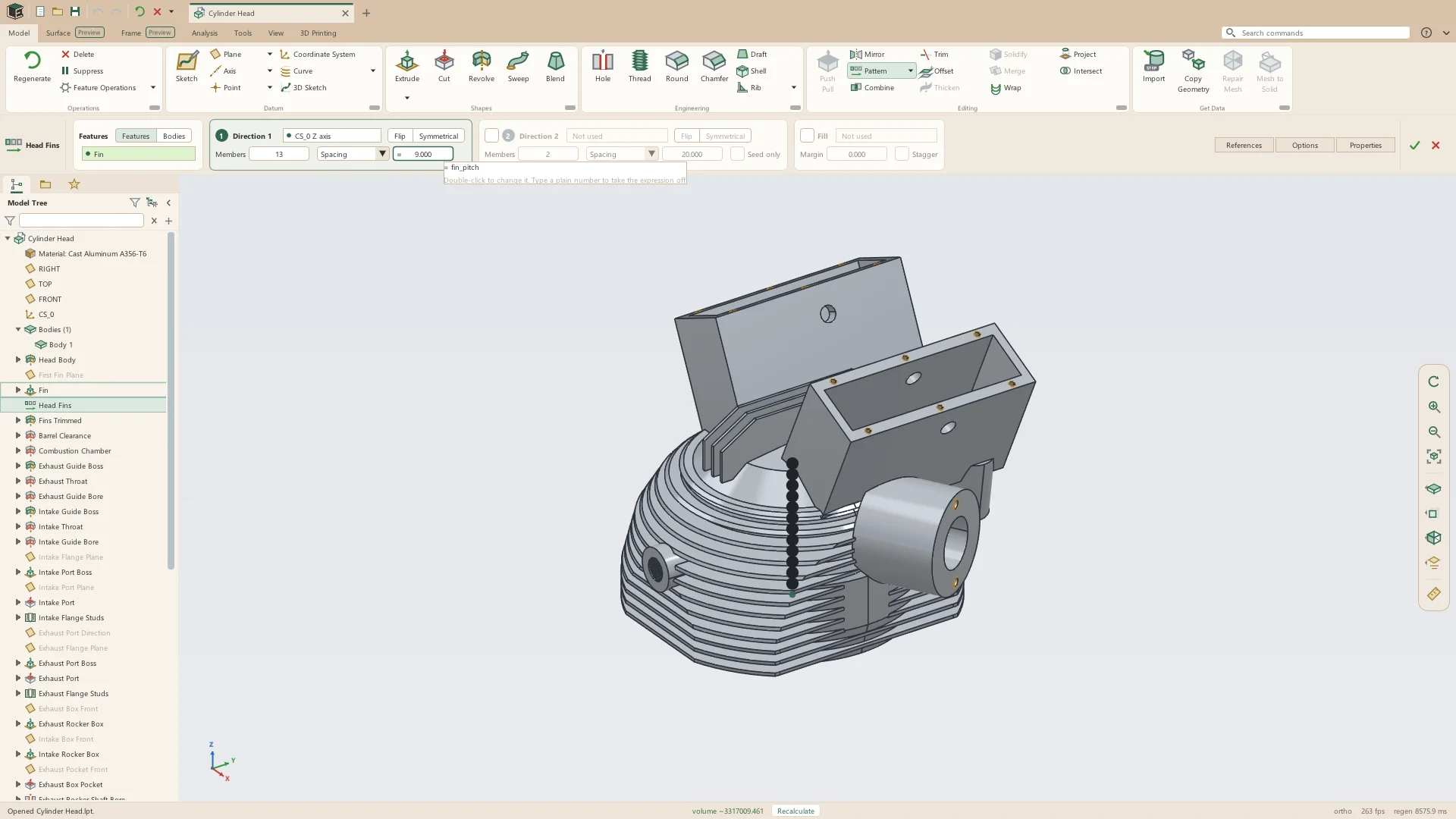
- Extrude and Cut: blind, symmetric, two-sided, through all, up to next, up to a face or plane, or offset from one, with draft on each side
- Thin extrudes of open lines, to either side or centered, with square, chamfered or rounded ends
- Revolve about an axis, through an angle or up to a datum plane or point
- Sweep along sketches, 3D sketches, model and surface edges, datum curves and helixes, for springs and coils of many turns
- Blend between two or more sections, smooth or straight, with a draggable start point
- Blend guide curves, matching points, and start and end conditions (Preview)
Holes, threads and rounds
The features that make a part fit what it is bolted to: standard holes, modeled threads that print, and rounds and chamfers that collect every similar edge at once.
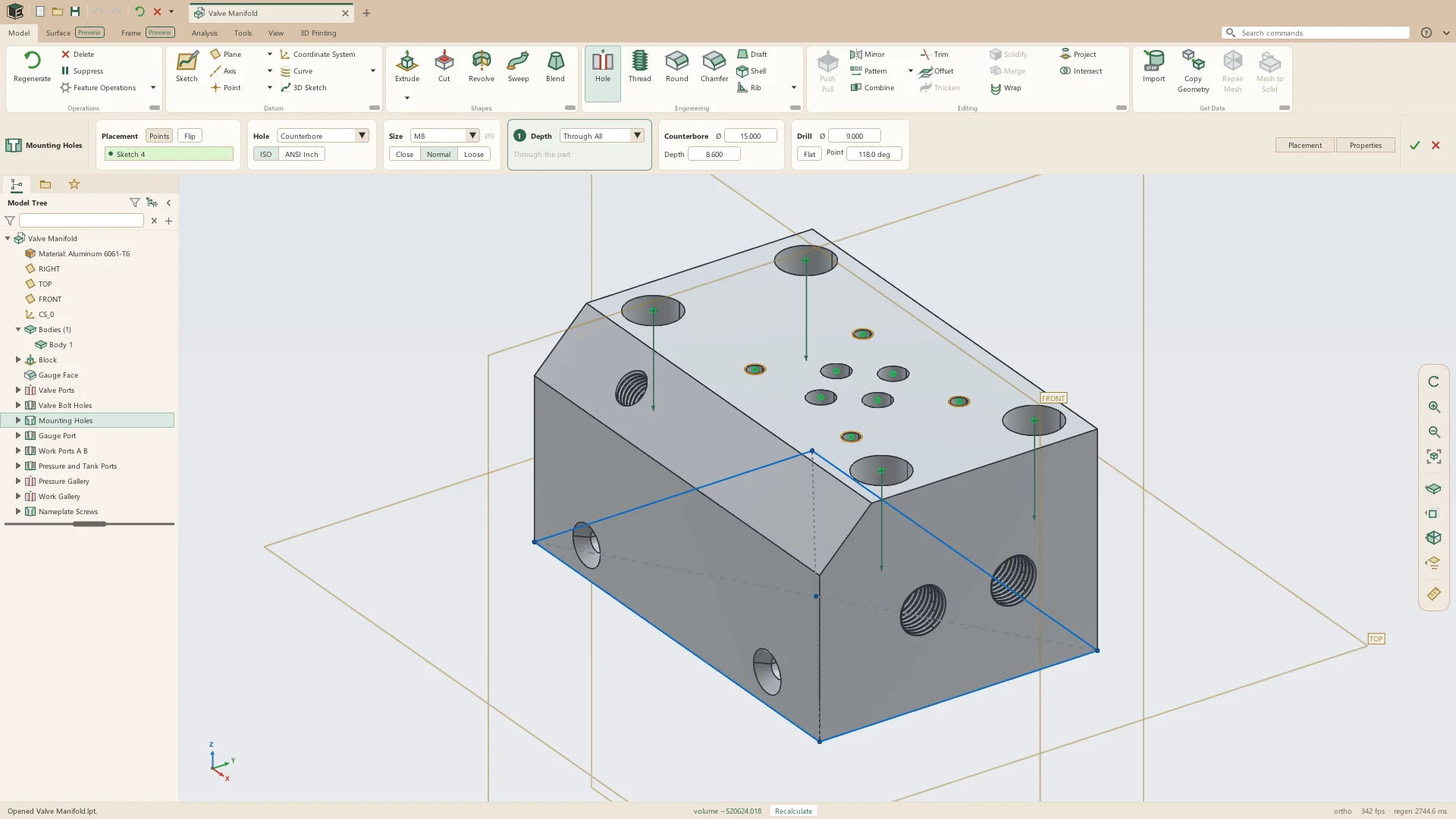
- Hole: simple, counterbore, countersink, counterdrill, tapped and tapered, from ISO metric and ANSI inch tables with close, normal and loose fits
- Thread: modeled threads on any shaft or hole in fourteen standards, with fits for resin and FDM printing
- Round: constant, D1 × D2, variable, conic and partial-length, with tangent chains and Collect Similar
- Chamfer: D × D, D1 × D2, angle × D, variable and partial-length
- Shell, with walls that run into each other merged into one
- Draft, and ribs from a profile or drawn as paths across a pocket, several at once
Patterns and editing
Features repeat, mirror and move as features, so a pattern of holes changes when the hole does.
- Linear, circular and sketch-driven patterns, and patterns along a curve, of features, ribs, rounds and chamfers too
- Mirror features or the whole body, in one plane or two
- Push-pull on flat faces, with a draft angle, recorded as a feature
- Wrap a sketch or text onto a cylinder or cone, raised or cut in
- Copy Geometry from another part
Bodies and meshes
A part can hold several solid bodies, surfaces and triangle meshes, each named, colored and given a material of its own.
- Several solid bodies in one part, joined, cut or intersected with Combine
- Trim divides bodies by a surface or plane, and a cut can keep the piece it removes as a body
- Patterns of whole bodies
- Save Body as Part
- STL as a mesh body: millions of triangles, moved, turned, scaled and exported with the solids
- Repair Mesh closes holes and doubled walls; Mesh to Solid makes an editable solid from a mesh (Preview)
Surfaces
PreviewThe Surface tab shapes parts a solid feature cannot: patches across open loops, faces matched to their neighbors in curvature, and control points dragged by hand, then thickened or closed into solids.
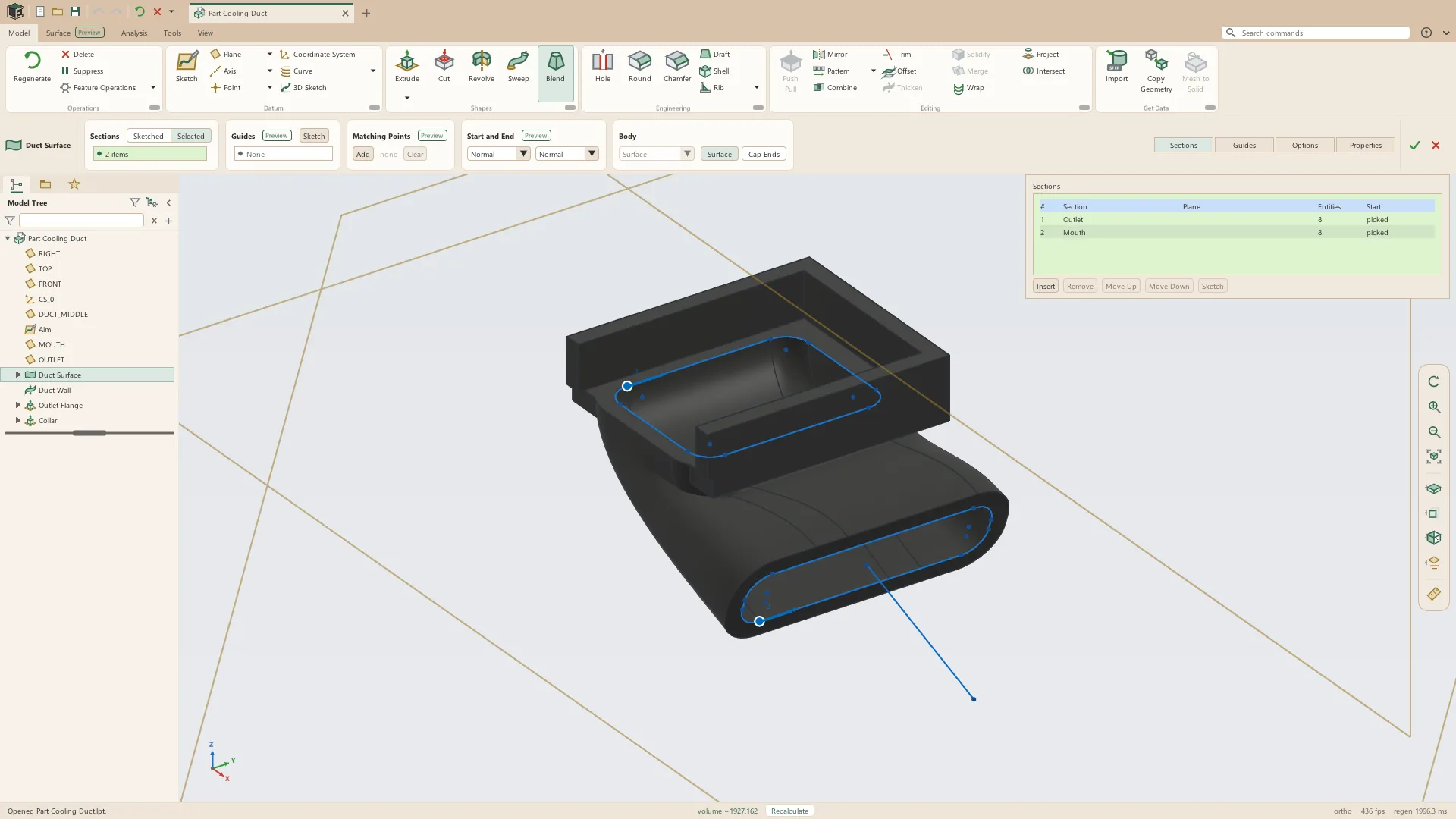
- Extrude, revolve, sweep and blend as surfaces
- Fill for flat faces, and Boundary Fill across any closed loop, meeting the faces around it at G0, G1, G2 or G3
- Trim, merge, offset, extend, mirror and pattern
- Rebuild Face and Freeform: control point nets dragged by hand
- Thicken and Solidify into solids
Sheet metal
A sheet-metal part is its own kind of part, held as walls and bends in the flat, so the flat pattern is exact by construction. Flat Pattern unfolds it in place.
- Sheets, flanges, miter flanges, hems, bends and jogs
- Corner reliefs, closed corners and Break Corner
- Cuts through walls and bends, and forms: louvers, lances, dimples and extruded holes
- Gauge tables, bend allowance, bend deduction and bend tables
- Flat pattern as DXF, and a cut list
Tube frames
PreviewThe Frame tab lays round, square and rectangular tube, pipe and bar along sketch lines and arcs as bodies of one part, and cuts every end to fit what it meets.
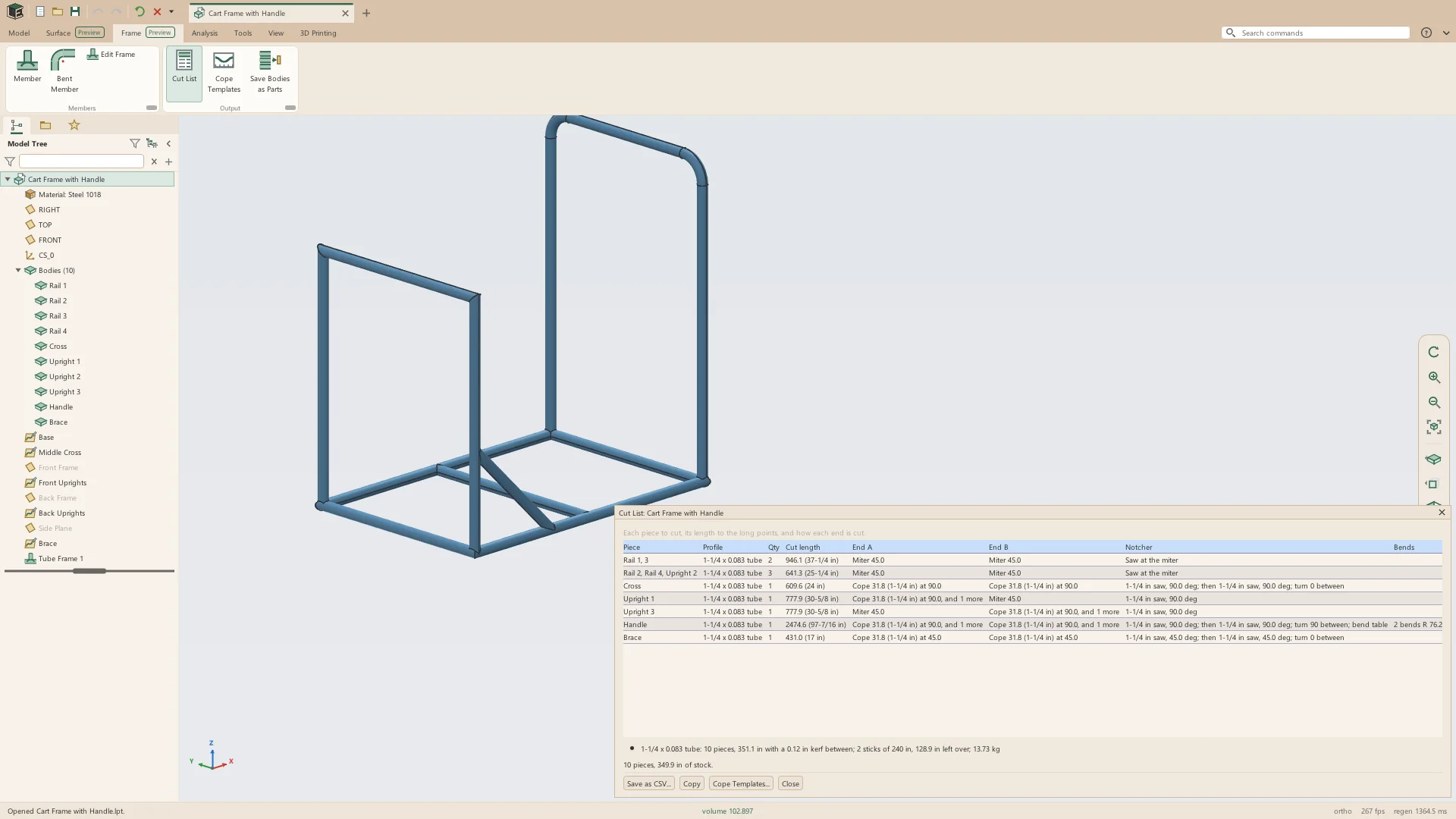
- Straight and bent members from inch, metric and pipe tables
- Ends coped onto the tube they meet at any angle, mitered, or cut square
- A cut list with the notcher's hole saw, angle and turn, and bend tables
- True-size cope templates printed to wrap round the tube
Datums and curves
Datum planes, axes, points and coordinate systems placed by what they are built from, and curves made from points, equations and the model.
- Planes offset, at an angle through an axis, through points, normal to a curve, tangent to a surface, or midway between two planes at any angle
- Axes along edges, through points, where planes meet or down the middle of a surface
- Points on vertices, along curves, at centers, at the center of mass, or anywhere on a surface held by distances
- Coordinate systems
- Helixes and spirals, curves through points and from equations, projected and intersection curves
- 3D sketches of points, lines, arcs and splines in space (Preview)
Parameters, relations and configurations
Named values, the rules between them, and the sizes a part comes in, kept with the part and editable in tables.
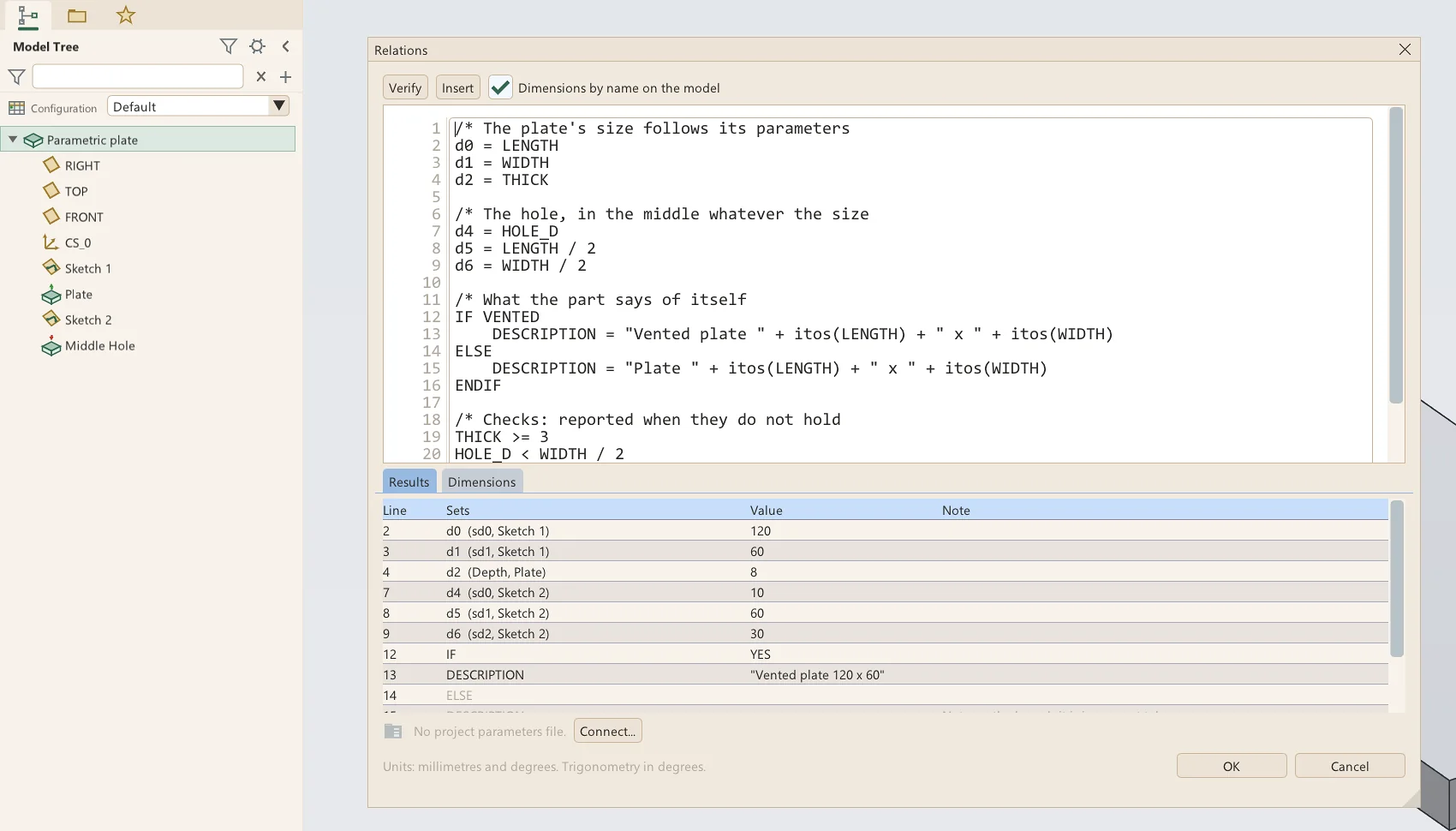
- Parameters of the part, of the system, and of a project shared by many parts
- Relations with IF, ELSE and ENDIF, functions and checks
- Any value of any feature set to a parameter or an expression
- Config tables: named configurations switched from the tree
Appearances and materials
About a hundred finishes, many of them textured, put on faces, bodies or a whole part, and 99 engineering materials with their properties and sources.
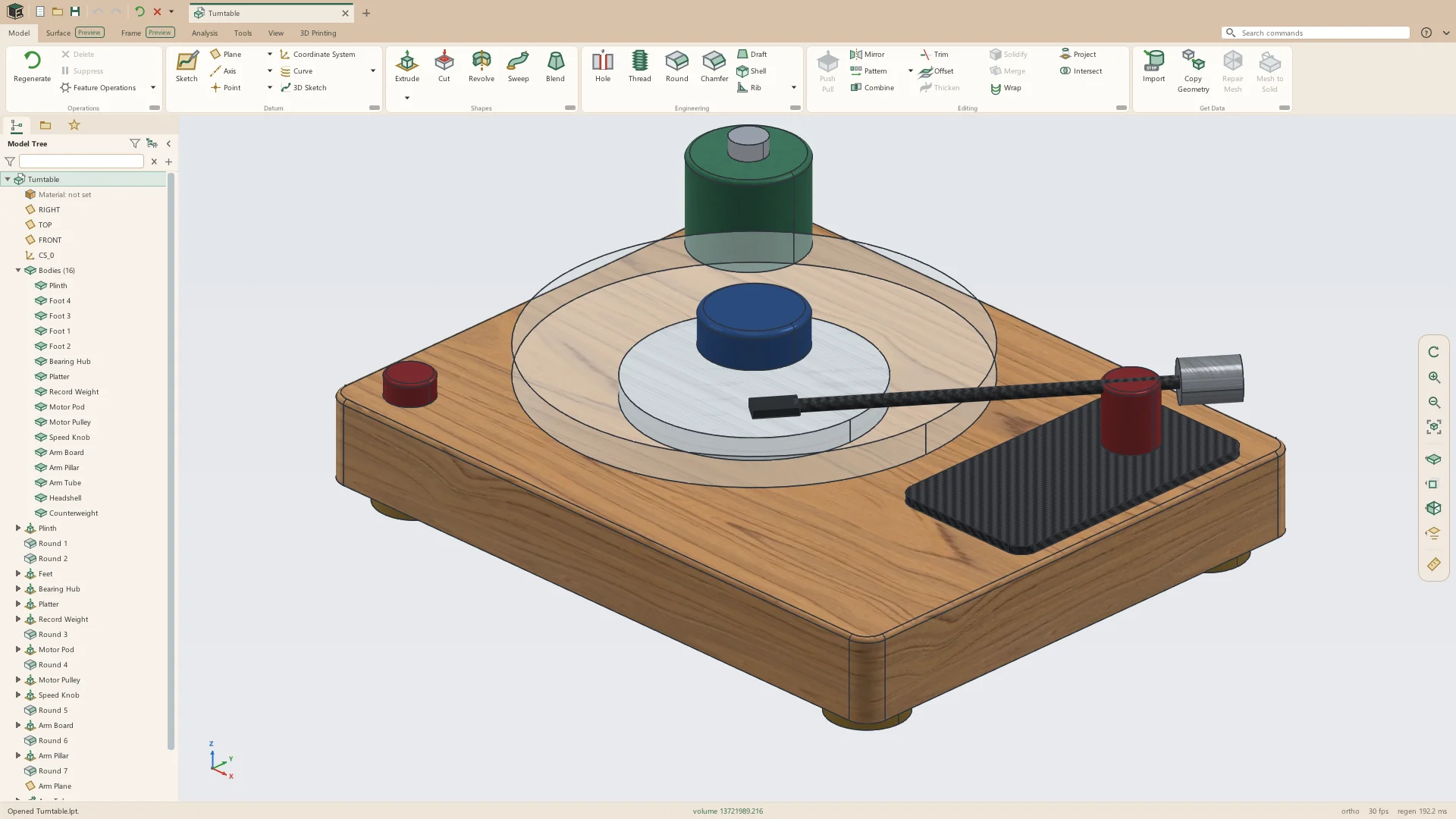
- Colors, plastics, metals, woods, composites, stone, fabrics, finishes and glass
- The Appearance Editor: color, shininess, reflection, transparency, and a texture's size, turn and grain
- A material for each body, with density, stiffness, strength and thermal properties
- Mass and center of mass from each body's own material
Analysis
Check a part before it is made: measure anything, weigh it, and look for thin walls, missing draft and uneven surfaces.
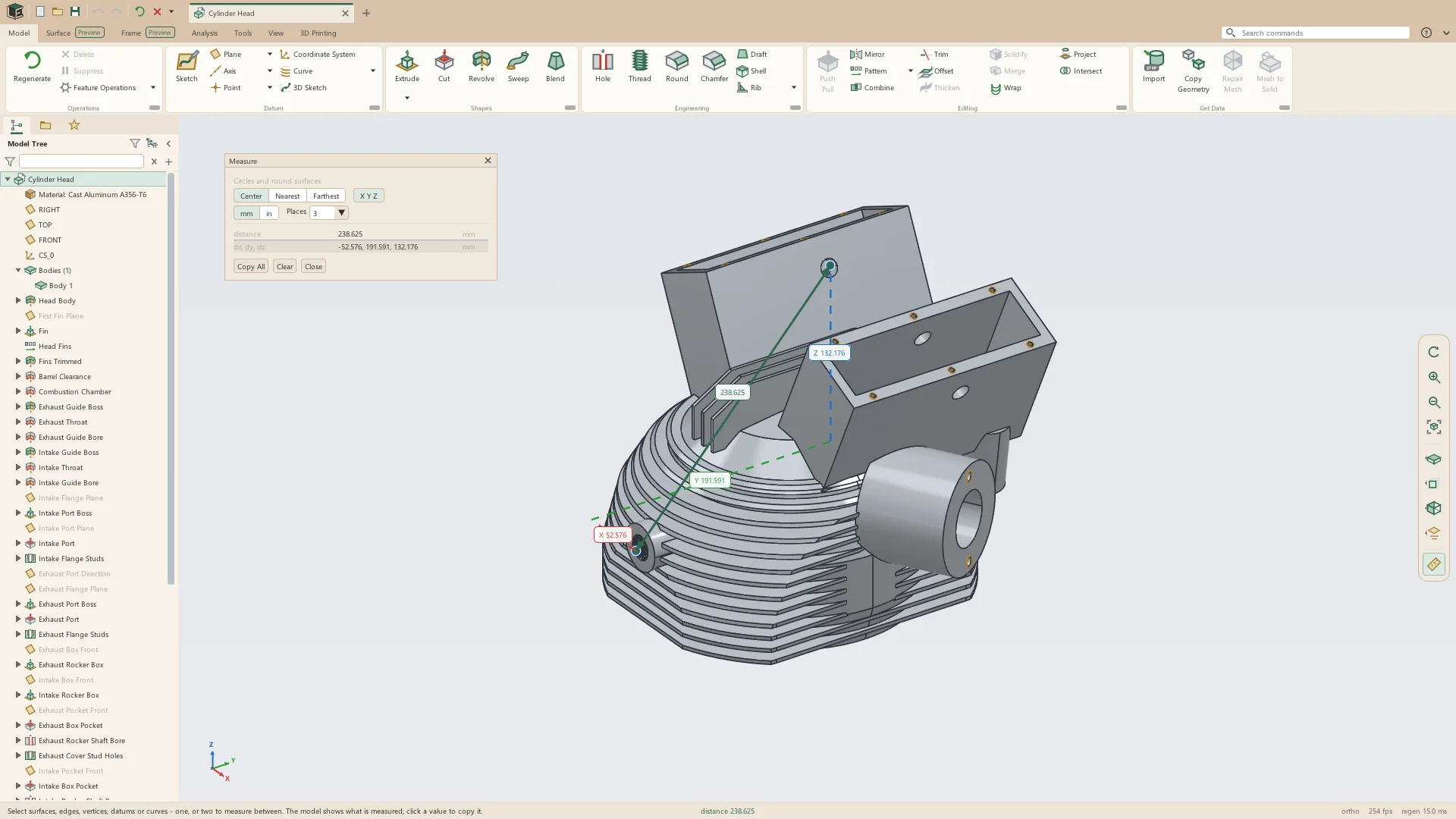
- Measure between any two things, with X, Y and Z drawn on the model
- Mass properties, saved in the part as parameters a title block can show
- Short edge and geometry checks
- Draft and thickness analysis for molding and printing
- Zebra stripes, curvature, face direction, curvature combs and edge continuity
- Section views, saved with the part and turned on and off from the tree
The model tree
The tree and the model are two ways to the same features: pick in either and the other lights up.
- Rename, hide, suppress, reorder and delete, several rows at once
- Suppressing a feature takes what is built on it with it
- A middle-click shows a feature's dimensions on the model, ready to edit
- Undo and redo, each step named for what it did
- Build Replay steps through the history one feature at a time
- Every feature that fails says why, and the rest of the part still builds
See it on your own parts
Beta builds go out by email. Say what you design and what you use now.