 Leta
Sheet metal
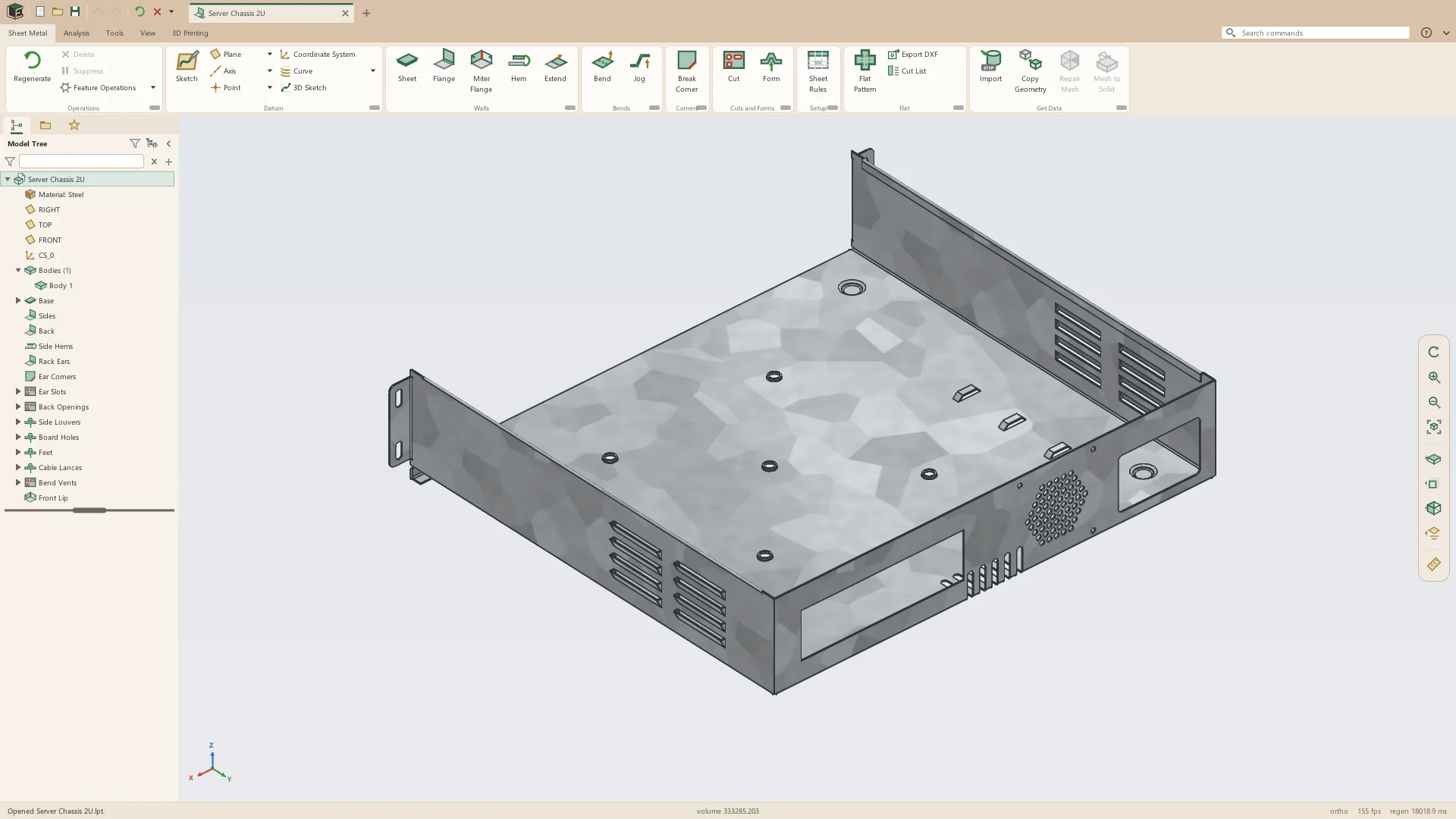
A sheet-metal part is its own kind of part, with its own tab. It is held as walls and bends in the flat, each wall placed by folding, so the flat pattern is exact by construction rather than worked out afterward. Flat Pattern unfolds the part in place and folds it back.
Folded and flat
Every wall is cut from the flat sheet and folded into place by its bends, using the part's thickness, bend radius and K-factor. Switching Flat Pattern on unfolds the part where it stands; switching it off folds it back.
Walls
A part starts as a Sheet from a sketch and grows by flanges on its edges. One Flange can take several edges at once, all at the same angle and length, and each edge can be turned to bend the other way.
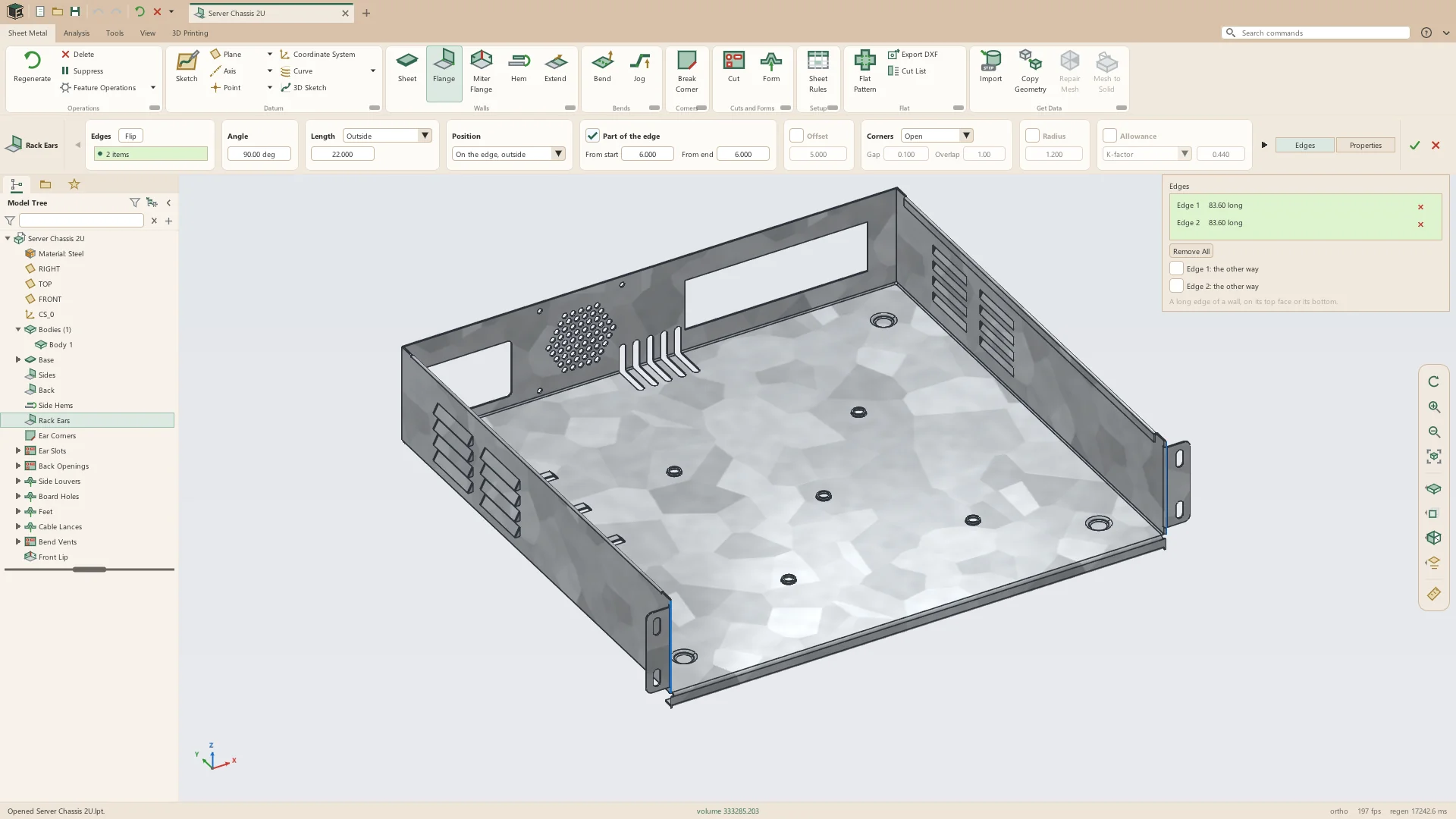
- Sheet from a closed sketch, or from an open path of lines and arcs given a depth, its corners bent at the part's radius
- A Sheet region drawn on an earlier wall's face joins that wall as a tab
- Flanges at any angle up to 180°, on a whole edge or part of it, set back from its start and end, and stood off by an offset
- Flange length measured to where the outside faces meet, to where the inside faces meet, or from the end of the bend
- Flange position: on the edge outside or inside, past the edge, virtual sharp on the edge, or the bend touching the edge
- Miter flanges along a chain of a wall's edges, of one or more legs, each with its angle and length, meeting at their corners with a gap
- Hems: closed, open, tear drop and rolled, on a whole edge or part of it
- Extend carries a wall's edge straight on in its own plane by a distance, along the whole edge or part of it
- Sheet, Cut, Bend, Jog and Form can open their own sketch from inside the feature
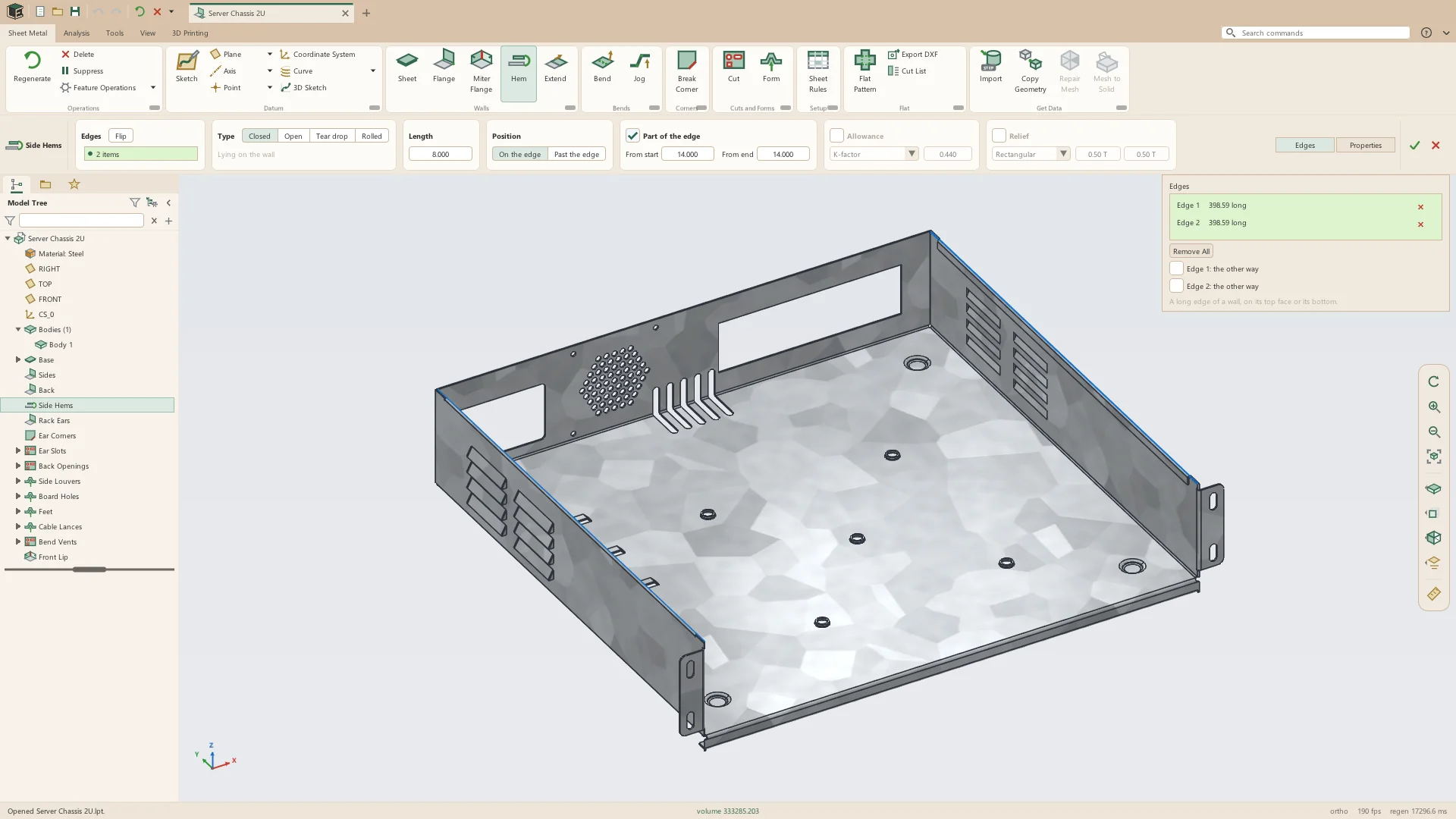
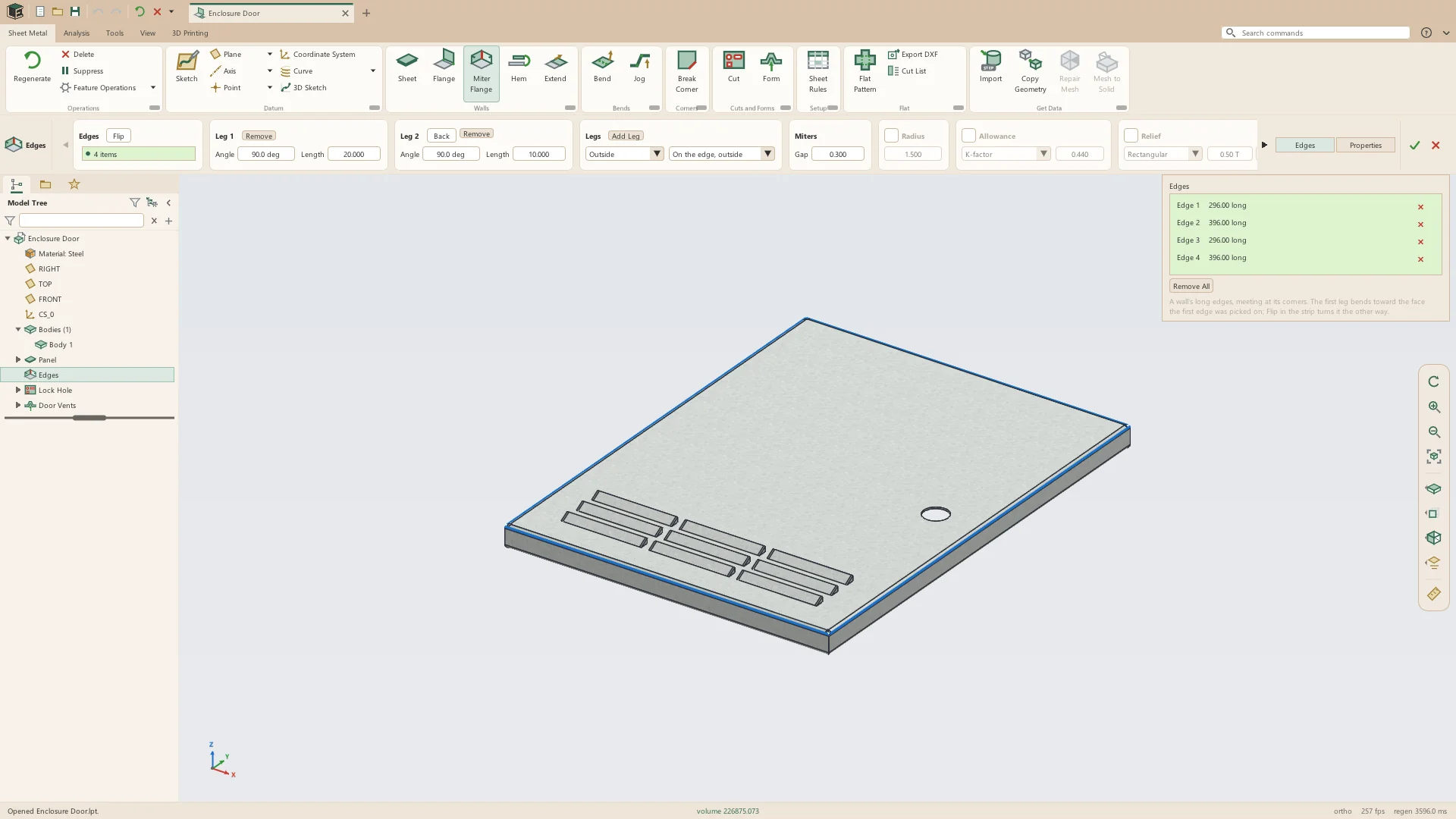
Bends and jogs
Bend folds a wall along sketched lines, and Jog puts two bends close together to step a wall over. A Fixed Face says which wall stays where it is while the rest turns.
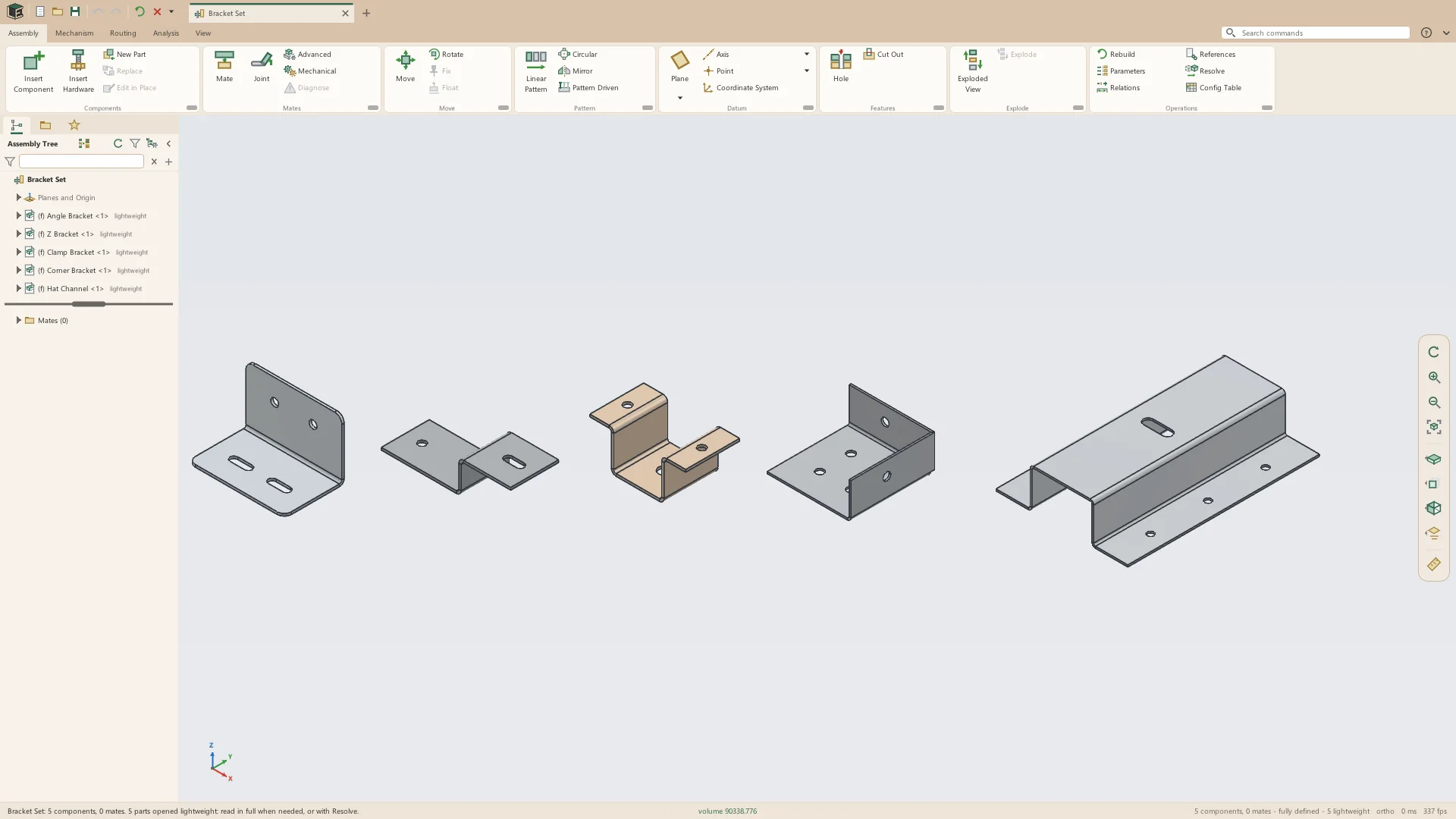
- Bend on sketched lines, each with its own angle, up to 180°, and direction
- Bend lines that meet at a corner fold a box from a flat blank in one feature
- The bend centered on its line, or beside it on the side that stays or the side that turns
- A hole a bend line crosses goes round the bend
- Jog: an offset measured outside, inside or overall, at an angle
- Bend radius and allowance from the part's rules, or set for one feature
Corners
Where two flanges meet on a wall, the later flange's corner settings relieve the corner and close it. Break Corner chamfers or rounds a wall's outside corners.
- Corner reliefs: rectangular, obround, tear and round, with a width and a depth
- Corners left open, or closed as butt, overlap, underlap or short joints, with a gap
- Break Corner: a wall's corners, and the corners where two flanges meet, chamfered or rounded to a size
Cuts and forms
A Cut goes square through the walls its sketch lies across, or, In the Flat, is drawn on a wall's face and cut as it would be in the blank, through the bends and on round them. Form presses a louver, lance, dimple or extruded hole into a wall at each sketched point.
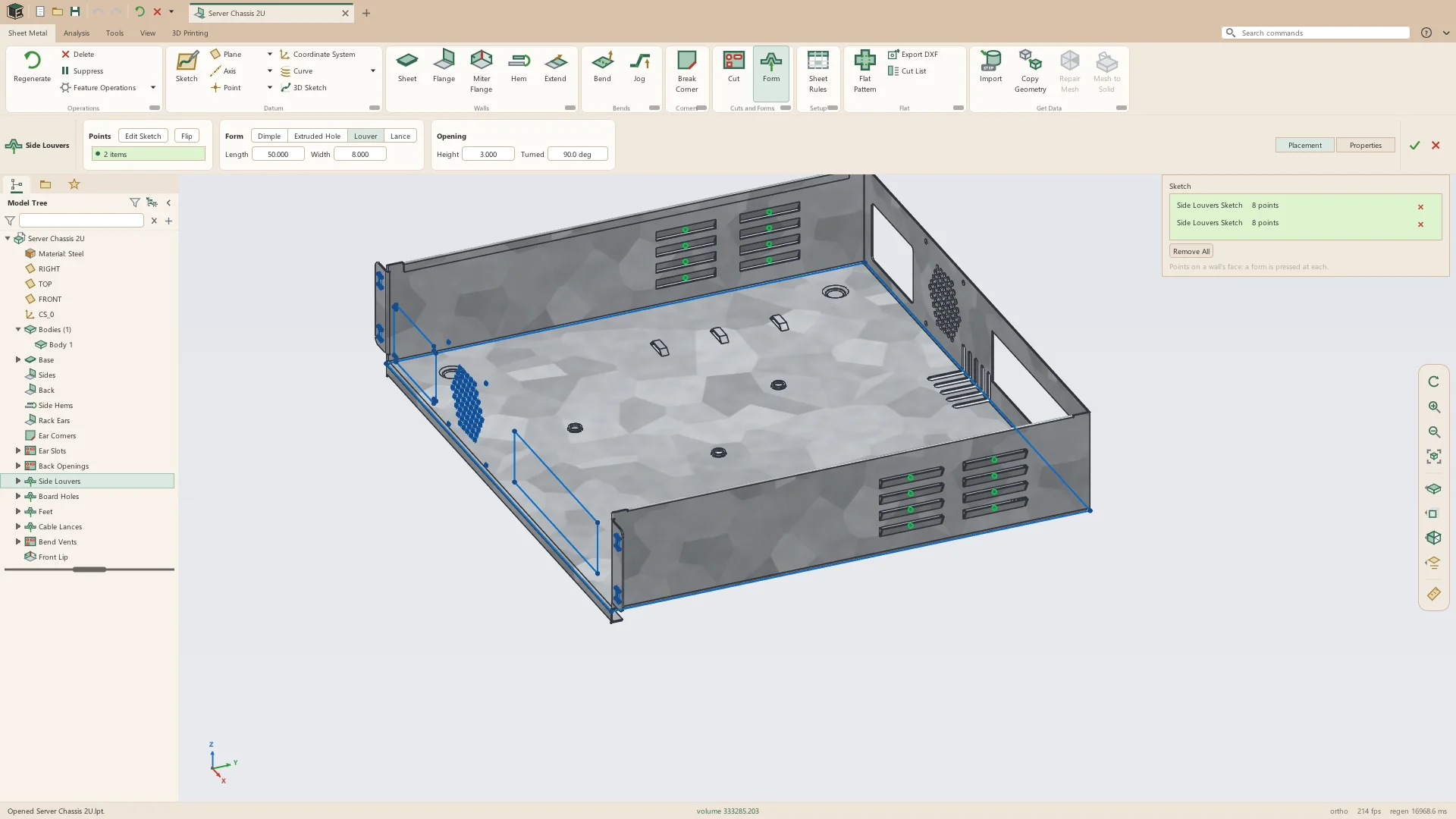
- Cuts Through, or In the Flat with the flat pattern drawn faint behind the sketch, its bend lines dashed
- Louvers and lances, turned to any angle
- Dimples, set by diameter, height, side angle and radius
- Extruded holes, their pre-hole in the flat sized from the bend allowance
- Forms pressed either way from the wall
- In the flat pattern each form is marked by its outline and center, and louver and lance slits are cut
Sheet rules
A part's thickness, bend radius and the way its bends are allowed for are its Sheet Rules, kept with the part and changeable at any time: every wall and bend is made again with the new rules. Each rule can be a parameter or an expression.
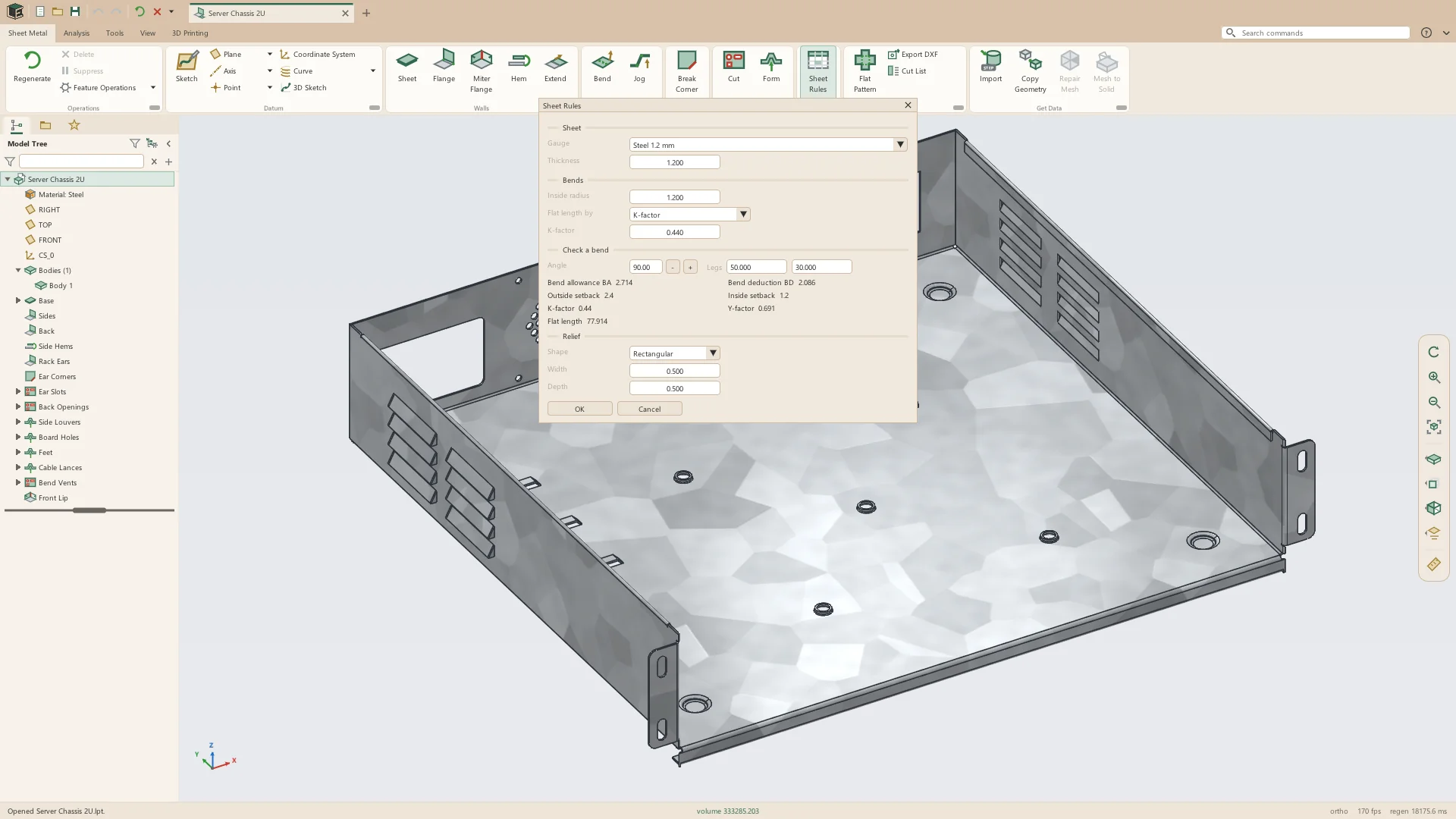
- Thickness, inside radius and K-factor, typed or picked from 24 gauges of steel, stainless steel and aluminum
- Bend allowance, bend deduction, or a bend table of allowances, deductions or K-factors by radius and angle
- Bend tables edited in place, started from the K-factor, or read from and written to CSV
- Relief shape, width and depth
- Check a bend: its allowance, deduction, outside and inside setbacks, K- and Y-factors, and the flat length of two legs
- SMT_THICKNESS, SMT_BEND_RADIUS and SMT_K_FACTOR as system parameters for relations and title blocks
- Each flange, hem, bend, jog and miter flange can have its own radius, allowance and relief
Flat pattern, DXF and cut list
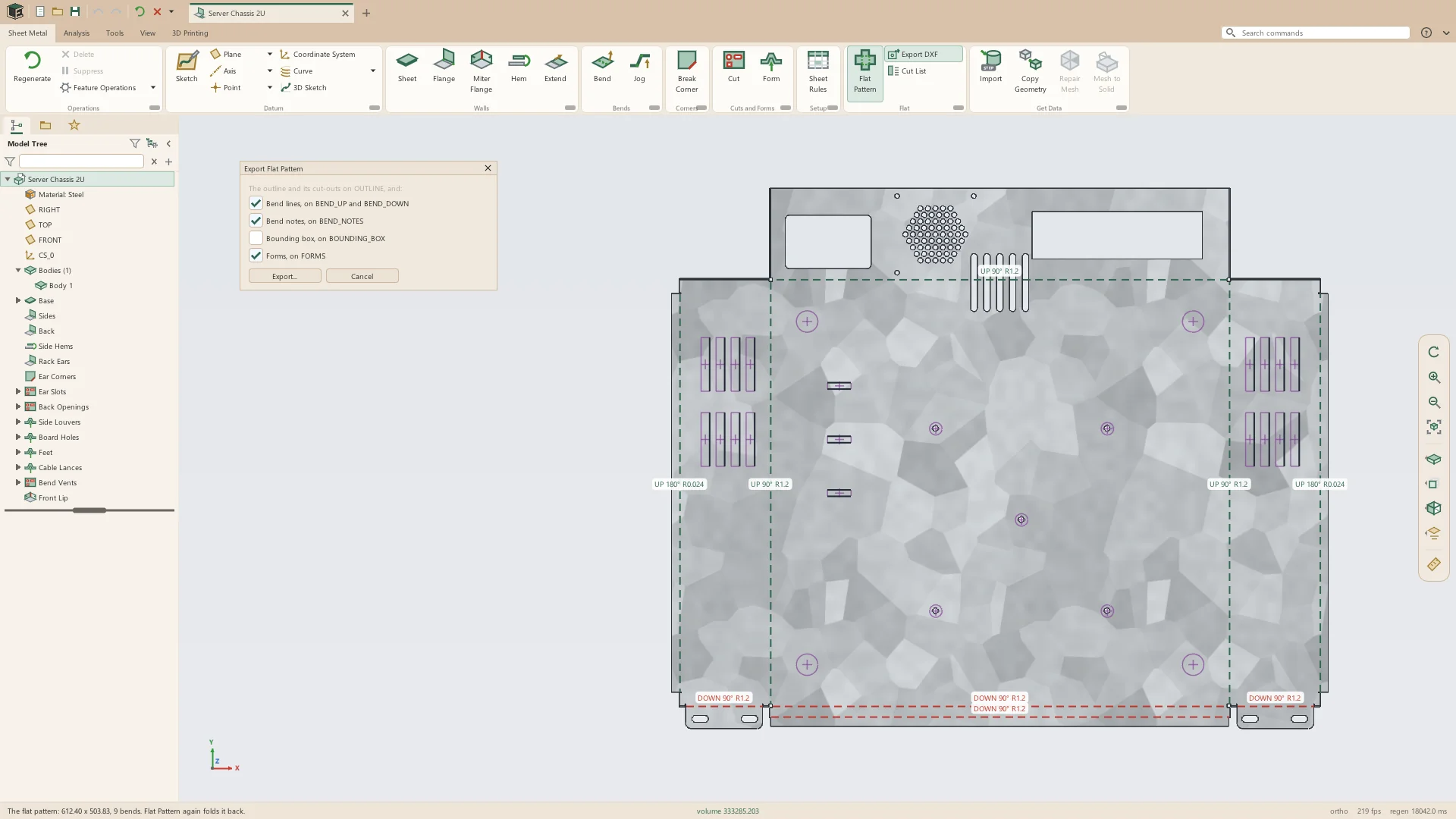
Flat Pattern shows the part laid flat in its place, each bend line with a note of its direction, angle and radius. The flat exports as DXF for the laser or punch, and the Cut List says what the blank takes to make.
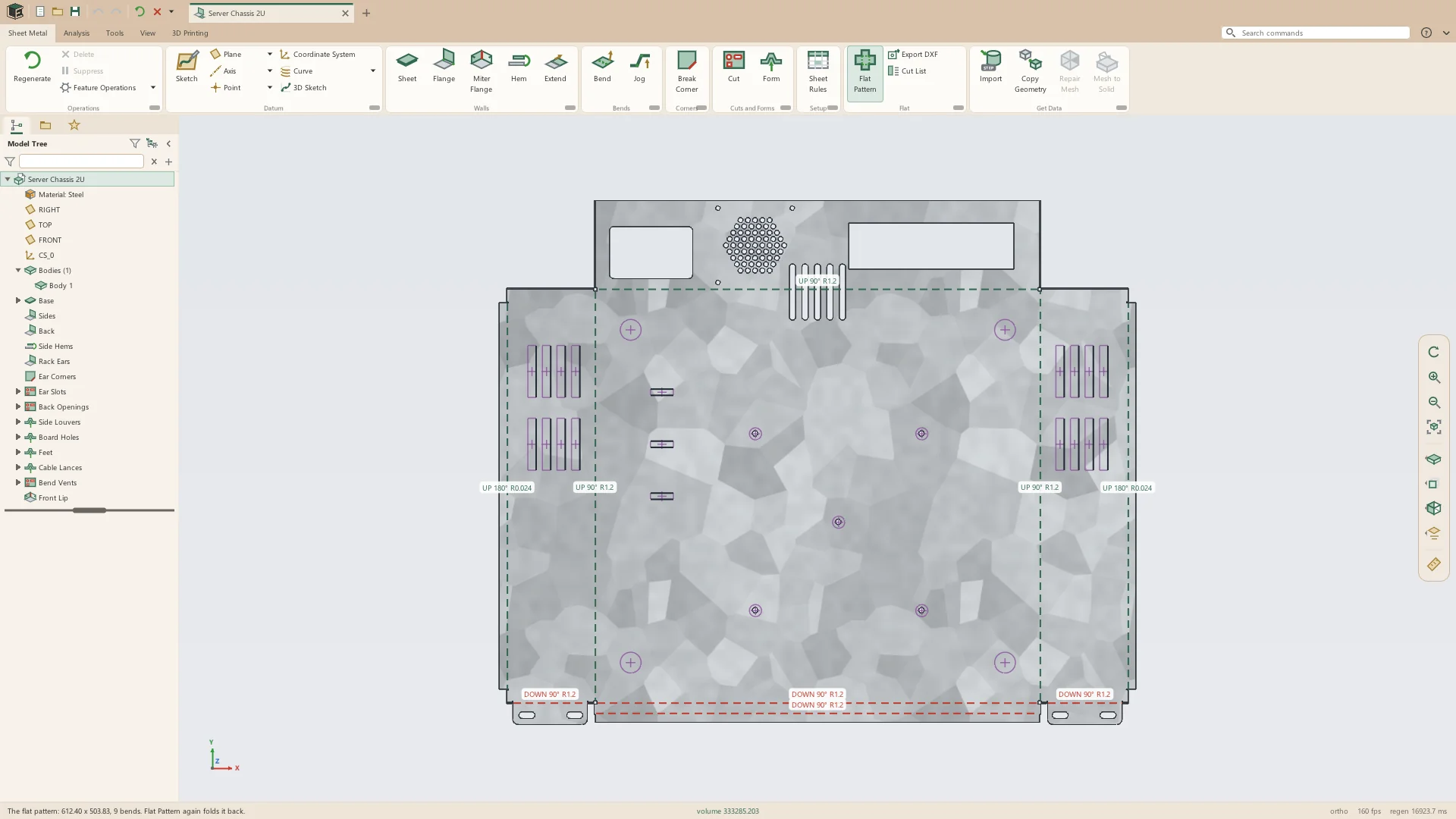
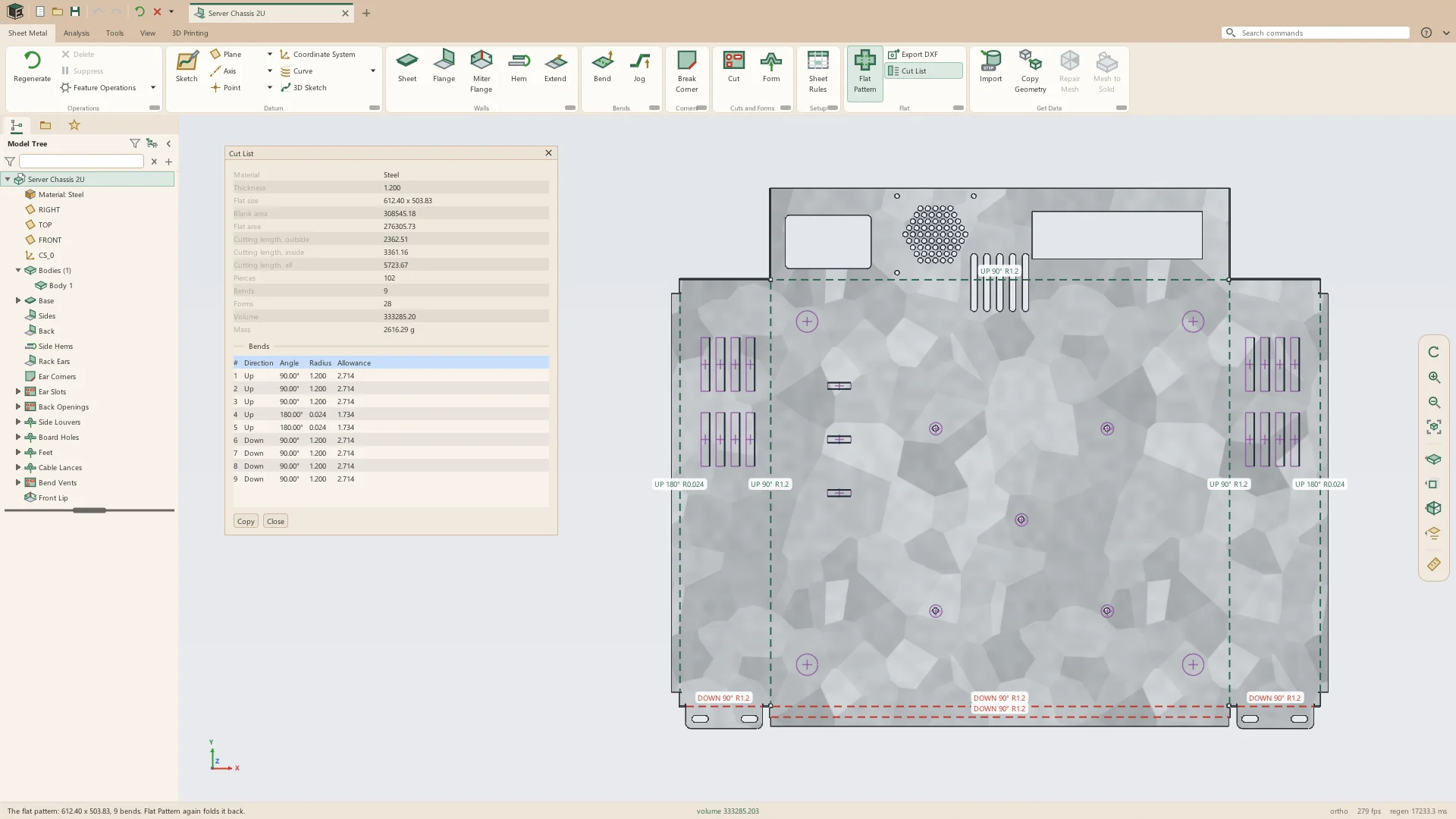
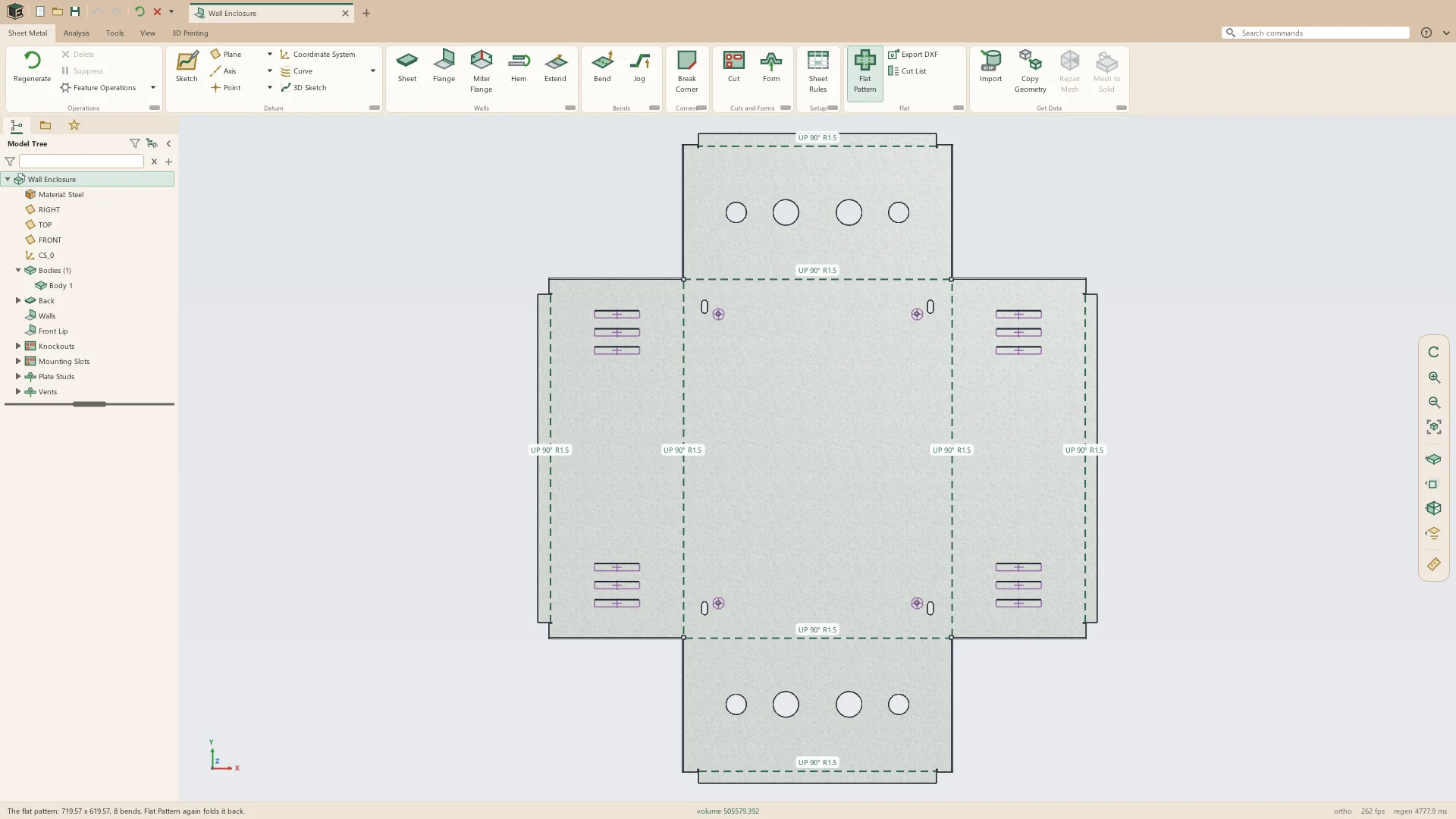
- Bend lines colored for up and down, with their notes
- Measure on the flat pattern
- DXF export, with a choice of bend lines, notes, the bounding box and form marks
- Cut List: the flat's size, its area, cutting length round the outside and the holes, pierces, bends, forms, thickness, volume and mass
- Each bend's direction, angle, radius and allowance in the Cut List, and Copy for a spreadsheet
- A new drawing of a sheet-metal part gets a Flat Pattern sheet with the flat view and its bend table
Sheet metal from STEP
A sheet-metal part made elsewhere and saved as STEP is read back into a base and flanges with fully dimensioned sketches, its reliefs read as the part's rules, so it can be edited and flattened like one made in Leta.
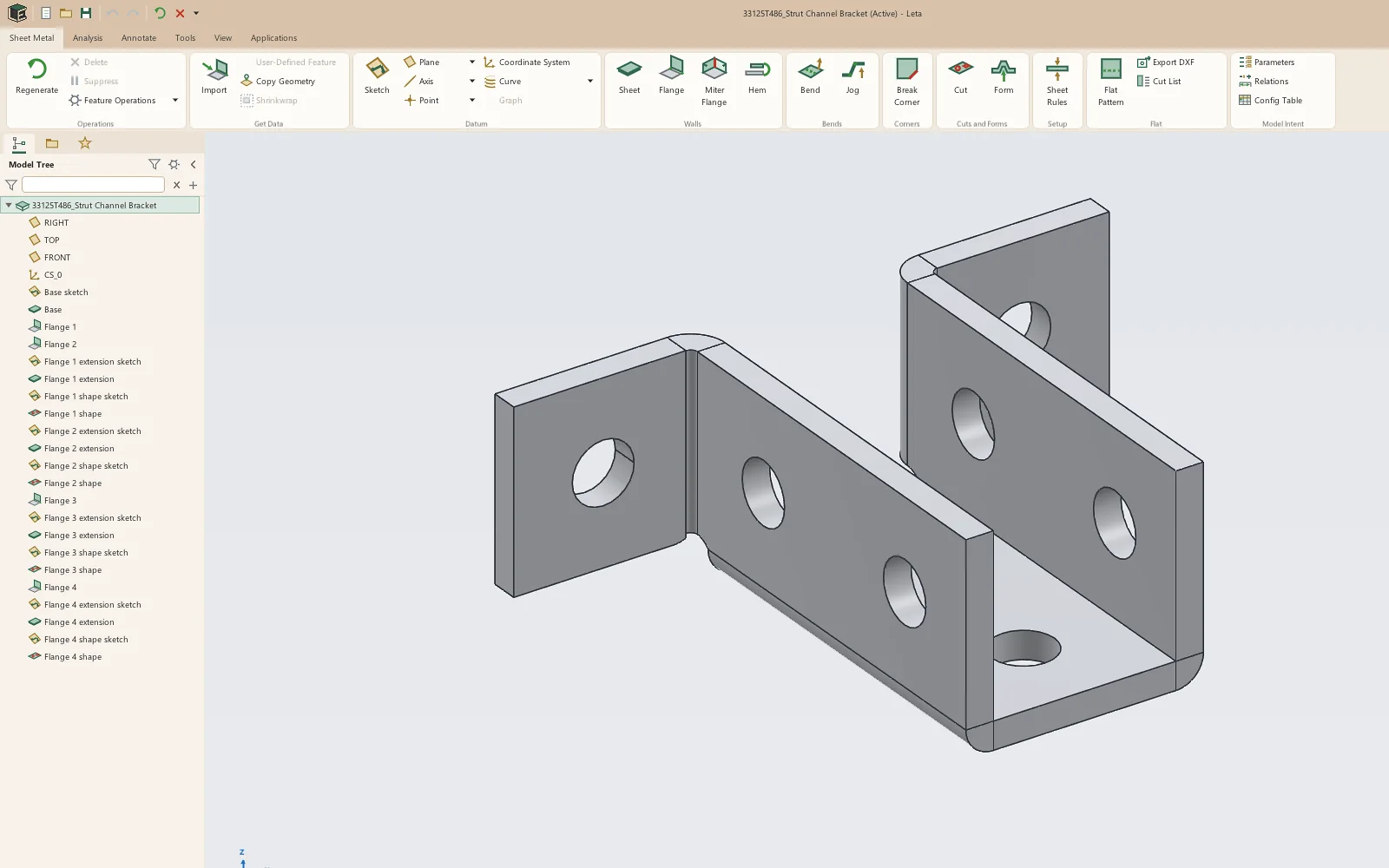
- File > Open or Get Data > Import, with Recognize Features chosen
- A Sheet for the base and a Flange for each bend, with tabs and cuts in the flat for the walls' shapes
- Thickness and bend radius from the file; reliefs and closed corners read as the flanges' rules
- Rounded edges on a maker's model taken off before the sheet is read
- Unfolded by the part's own rules, not the file's
- When the features cannot match the file, the part comes in as one Imported Sheet that still takes flanges and cuts
See it on your own parts
Beta builds go out by email. Say what you design and what you use now.