 Leta
Appearances and materials
Appearances set how a part looks and materials set what it is made of and weighs, on the whole part or body by body. About a hundred finishes, many of them textured, sit in a gallery of nine tabs, and 99 materials carry their properties and where the figures come from.
The appearance library
View > Appearances is a gallery of lit balls in nine tabs. A click puts the look on the selected surfaces, else on the body selected in the tree, else on the whole part, and the top of the gallery says which.
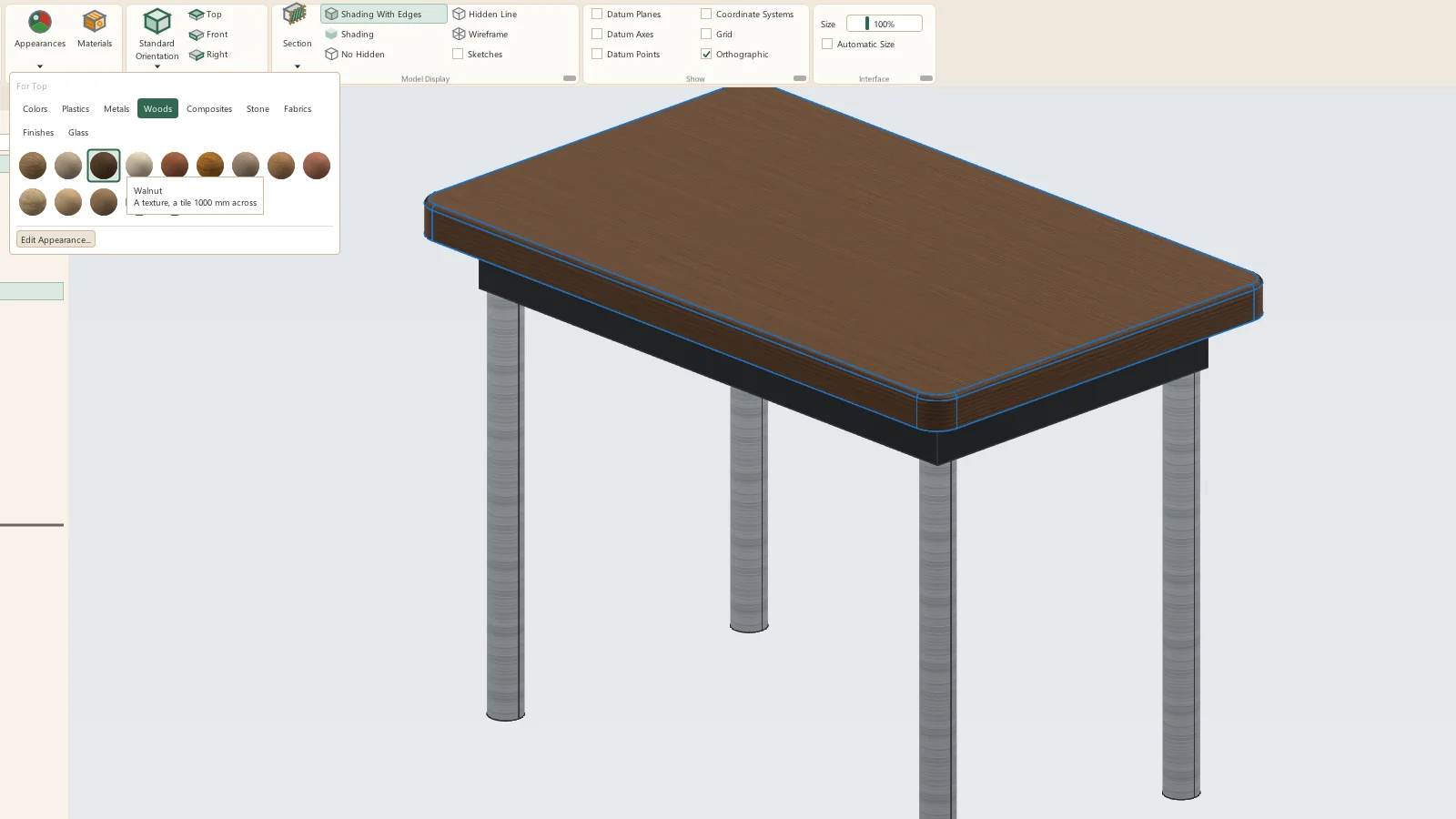
- Colors: sixteen plain colors
- Plastics: glossy, matte, textured and translucent, natural nylon, printed PLA, rubber and silicone
- Metals: polished, satin, brushed and cast aluminum, four anodized colors, steel, stainless, chrome, black oxide, zinc plated, galvanized, brass, copper, bronze, gold, titanium and cast iron
- Woods: oak, red oak, walnut, maple, cherry, pine, ash, teak, mahogany, bamboo, birch plywood, MDF, OSB and cork
- Composites: carbon fiber twill, plain weave, unidirectional, matte and forged, aramid, fiberglass and G10/FR4
- Stone: granite, marble, slate, concrete, sandstone, terrazzo and travertine
- Fabrics: canvas, denim, leather, felt, mesh and tweed
- Finishes: knurled, diamond plate, hammertone, bead blasted, powder coat and rust
- Glass: clear, frosted and tinted glass, clear and smoked acrylic, and clear polycarbonate
- My Appearances: looks saved from the editor, and custom colors
Textures
A textured look lays a picture over the faces in the part's own coordinates, so the grain stays where it is when the part moves or is placed in an assembly. The look's color stains the picture.
- 45 texture pictures: wood veneers, plywood, OSB, stone, concrete, fabrics, leather, cork and felt from photographs; weaves, knurl, diamond plate, brushed and cast metal and hammertone drawn to tile
- Woods tiled at their measured veneer sizes
- Grain along the part's X, Y or Z
- Bump from the picture's relief
- Assemblies show each part's textures and finishes; lightweight parts show their colors
- 3MF export carries each body's and each material's color
The Appearance Editor
Edit Appearance opens the Appearance Editor on the look in use, with a large ball to judge it by. The part shows each change as it is made; OK keeps the change as one undo step, and Cancel puts the appearances back.
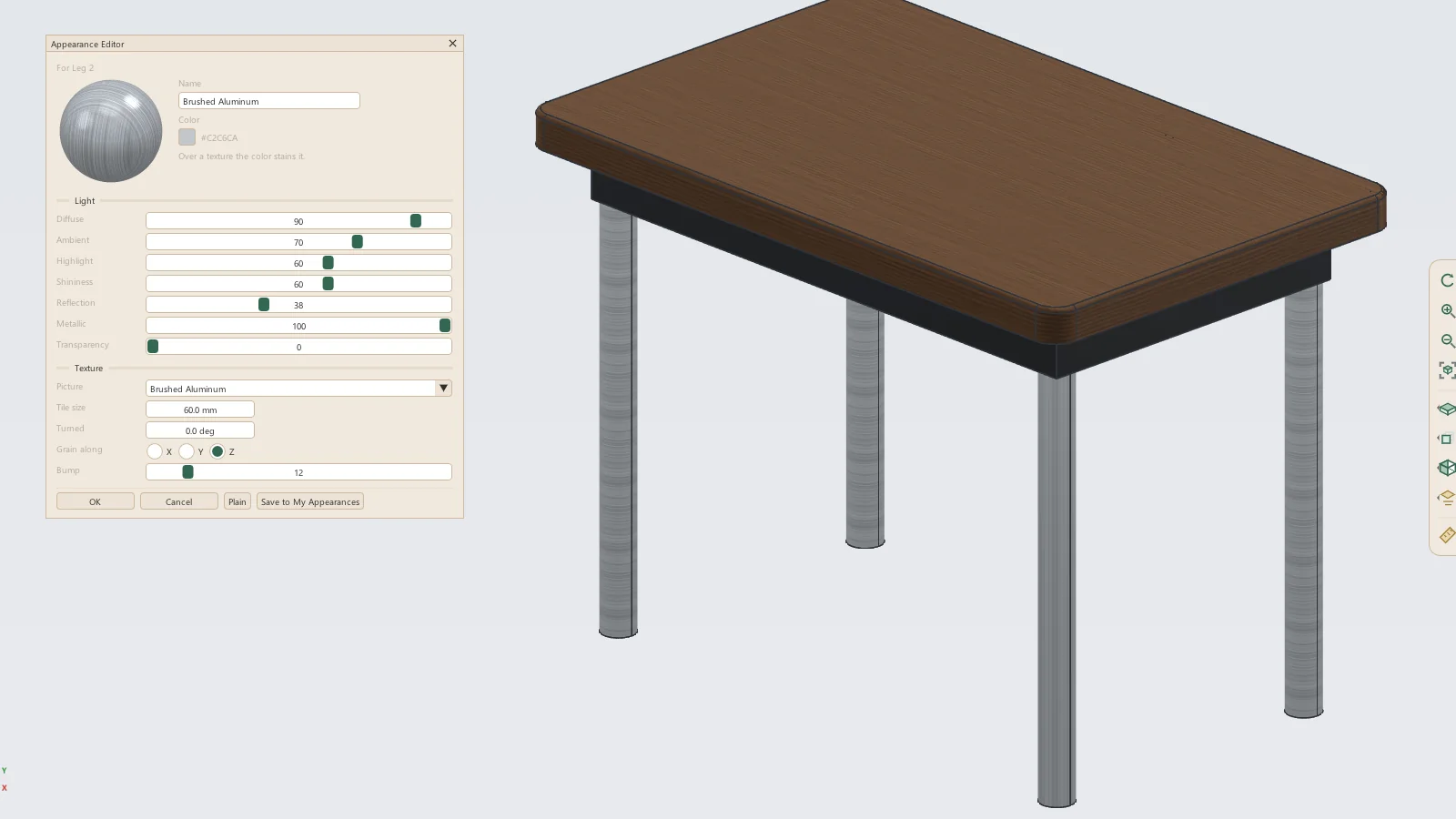
- Name and Color
- Light: Diffuse, Ambient, Highlight, Shininess, Reflection, Metallic and Transparency, each 0 to 100
- Texture: the picture, its tile size in millimeters, how far it is turned, the axis its grain runs along, and Bump
- Plain resets the finish to a plain color
- Save to My Appearances keeps the look for other parts
Materials
View > Materials opens the material library by category, with a search box. Each material lists its mechanical and thermal properties, the look it takes and where its figures come from, given as typical values for reference and not as design allowables.
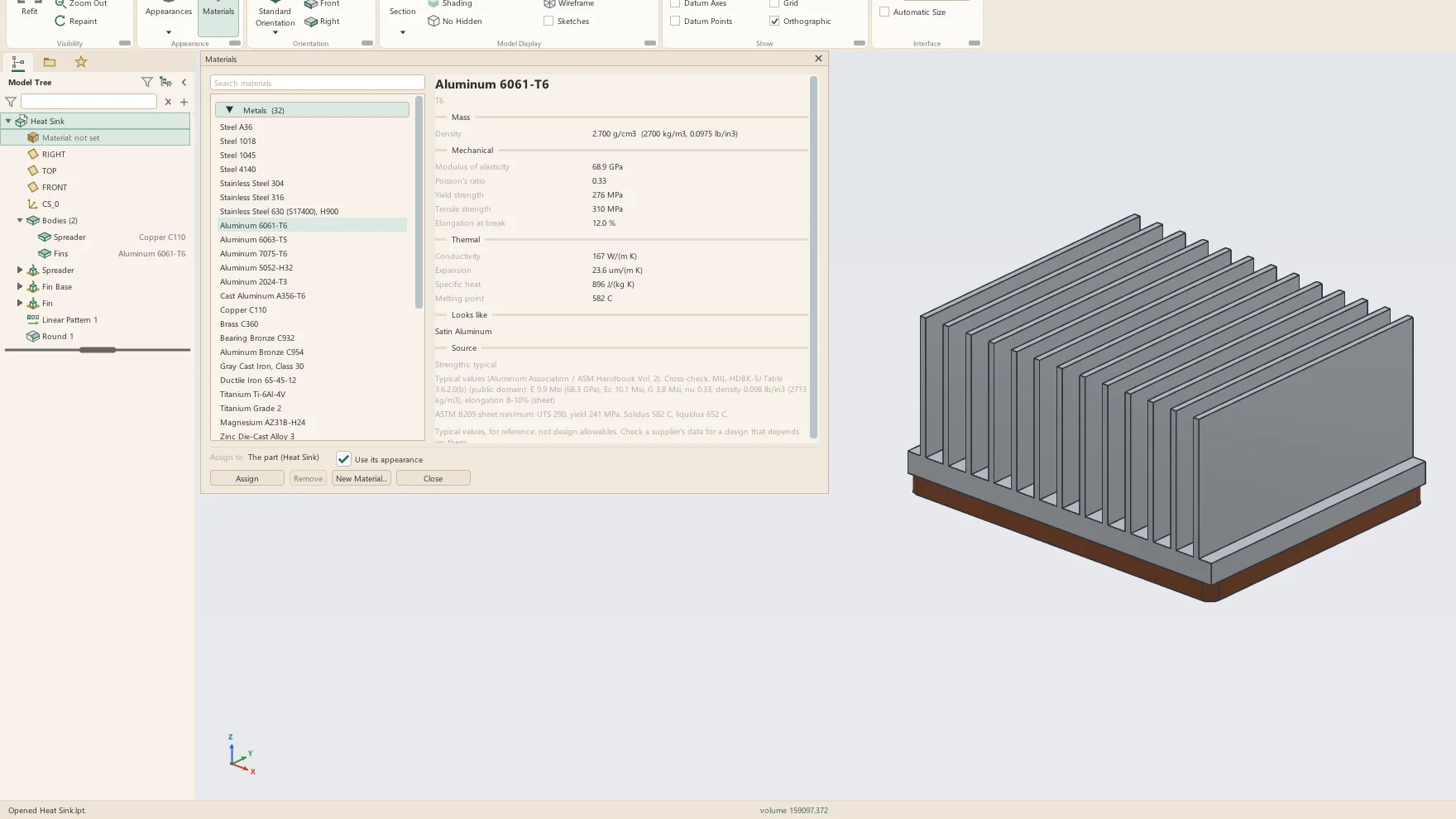
- 99 materials: 32 metals, 28 plastics, 27 woods, 6 composites and 6 others
- Metals from A36, 1018, 4130 and 4140 steel and 304 and 316 stainless to 6061-T6 and 7075-T6 aluminum, brass, bronze, cast iron and titanium
- Plastics for printing and molding: PLA, PETG, ABS, ASA, TPU 95A, nylons, polycarbonate, PEEK, acetal, standard SLA resin and rubbers
- Woods and panels: oaks, maples, walnut, cherry, pines, spruce, cedar, balsa, plywood, MDF, particleboard and OSB
- Density, modulus of elasticity, Poisson's ratio, yield and tensile strength, elongation and compressive strength
- Modulus of rupture and Janka hardness for woods
- Thermal conductivity and expansion, specific heat, melting point, glass transition and maximum service temperature
- Figures from the USDA Wood Handbook, MIL-HDBK-5J, ASTM and AMS minimums and makers' typical values, each with its source
- New Material adds a material of the user's own to My Materials
Body by body
Assign gives a material to the whole part, or to the bodies selected when the part has more than one solid. The model tree shows the part's material first, and every body under Bodies with its own material at the end of its row.
- The tree's Material row opens the Materials window
- A body's right-click menu: Color, Appearance and Material
- Use its appearance: the material's own look in place of a color given before
- Materials also chosen from Model Properties and from Mass Properties
- A project parameter file can give a material to parts that have none
- Save as Part keeps a body's material and look
Mass properties
Mass Properties weighs each body by its own material and gives the part's volume, area, center of mass and inertia. The results are kept in the part file, so an assembly reads them without building the part again.
- Volume, surface area, mass and density
- Center of mass, inertia at the center of mass, and principal moments and axes
- By body: each body's material, volume and mass
- Bodies with no material named in red and left out of the mass
- MP_MASS, MP_VOLUME, MP_SURFACE_AREA and MP_CG_X, Y and Z as read-only parameters for title blocks
- Assembly mass, bills of materials and drawing tables weigh each body by its own material
- A datum point at the center of mass, and the center of mass shown and dimensioned on drawings
See it on your own parts
Beta builds go out by email. Say what you design and what you use now.