 Leta
Tube frames
The Frame tab lays tube, pipe and bar along the lines and arcs of sketches and 3D sketches, each member a solid body of one part. Every end is cut to fit what it meets each time the part rebuilds, and the frame gives a cut list, full-size cope templates and a part file for each member.
Members
Member adds a group of members to the part's tube frame and opens its strip; the first Member makes the frame. Bent Member makes one tube along each run of lines end to end, its corners bent round at the bender's centerline radius.
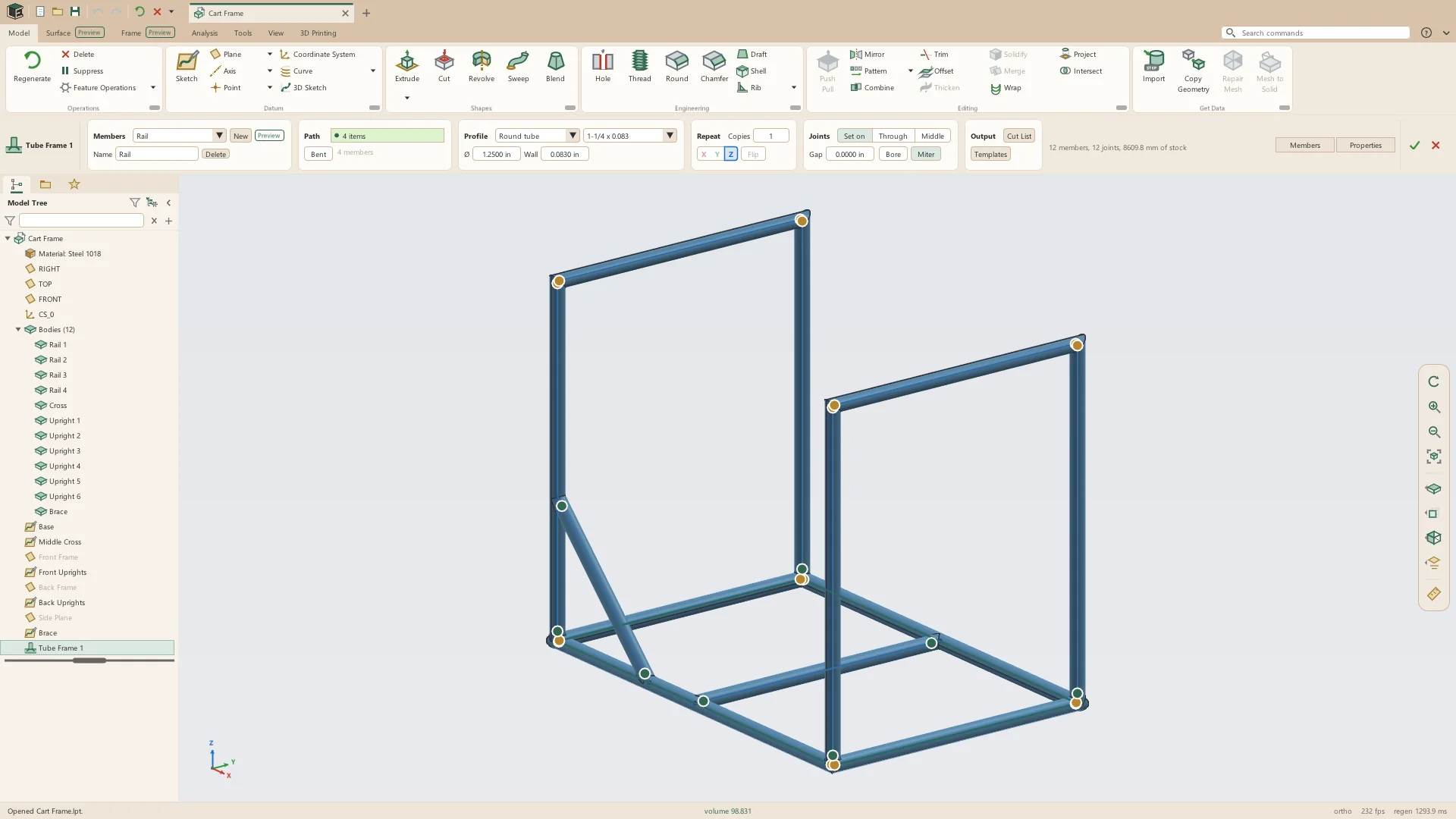
- Paths from the lines and arcs of sketches and 3D sketches: one curve, or a sketch's row in the tree for all of them
- Groups, each with its own profile and joint settings, its members named for it: Rails makes Rail 1, Rail 2
- Bends at a centerline radius (CLR) set for the group, with a bend table for each bent member
- Arcs and rings revolved exactly about their axes
- Repeat: copies of a group round X, Y or Z through the origin
- Turn: a square or rectangular section turned about its line
- Sizes, walls, bend radii, the weld gap, the kerf and the stock length take parameters and expressions
- Edit Frame opens the part's frame again
- Leta script builds frames with frame_member() and frame_end()
Profiles
Profiles come from tables of stock sizes in inches and millimeters, or are typed. A member's mass in the cut list comes from the part's material.
- Round tube: 1/2 to 4 in outside diameter with walls of 0.035 to 0.250 in, and 10 to 101.6 mm
- Pipe: NPS 1/8 to 4 in Schedules 10, 40 and 80
- Square tube: 1/2 to 4 in and 15 to 100 mm
- Rectangular tube: 2 x 1 to 4 x 2 in and 30 x 20 to 100 x 50 mm
- Round and square bar: 1/4 to 2 in and 6 to 50 mm
- Any outside diameter, or width and height, and wall typed
Joints and end cuts
Each time the part rebuilds, every end is cut to fit what it meets: coped onto a tube it lands on at any angle, mitered where two alike meet at a corner, or cut square where it meets nothing. A click on the dot at an end sets that end by hand.
- Set on: coped to the outside of the tube it meets, with a weld gap
- Through: through the wall to the inside, the tube it meets bored to take it
- Middle: coped to the middle of the wall it meets
- Bore: the tube under a set-on branch bored to the branch's inside
- Miter: two alike members at a corner cut on the plane halfway between them
- At a corner of three, the two alike are mitered and the third is coped onto both
- An end's menu: As the frame works it out, Cope, Miter, Square, Run past, and Extend by a distance
- Dots at each end while the strip is open: green coped, gold mitered, plum running past, gray square, ringed in red with the reason when an end could not be cut as asked
- Only the members whose lines or joints changed are built again
Cut list
The Cut List gives every piece to cut, how to cut each end, and the stock the frame takes, worked out from the frame as built.
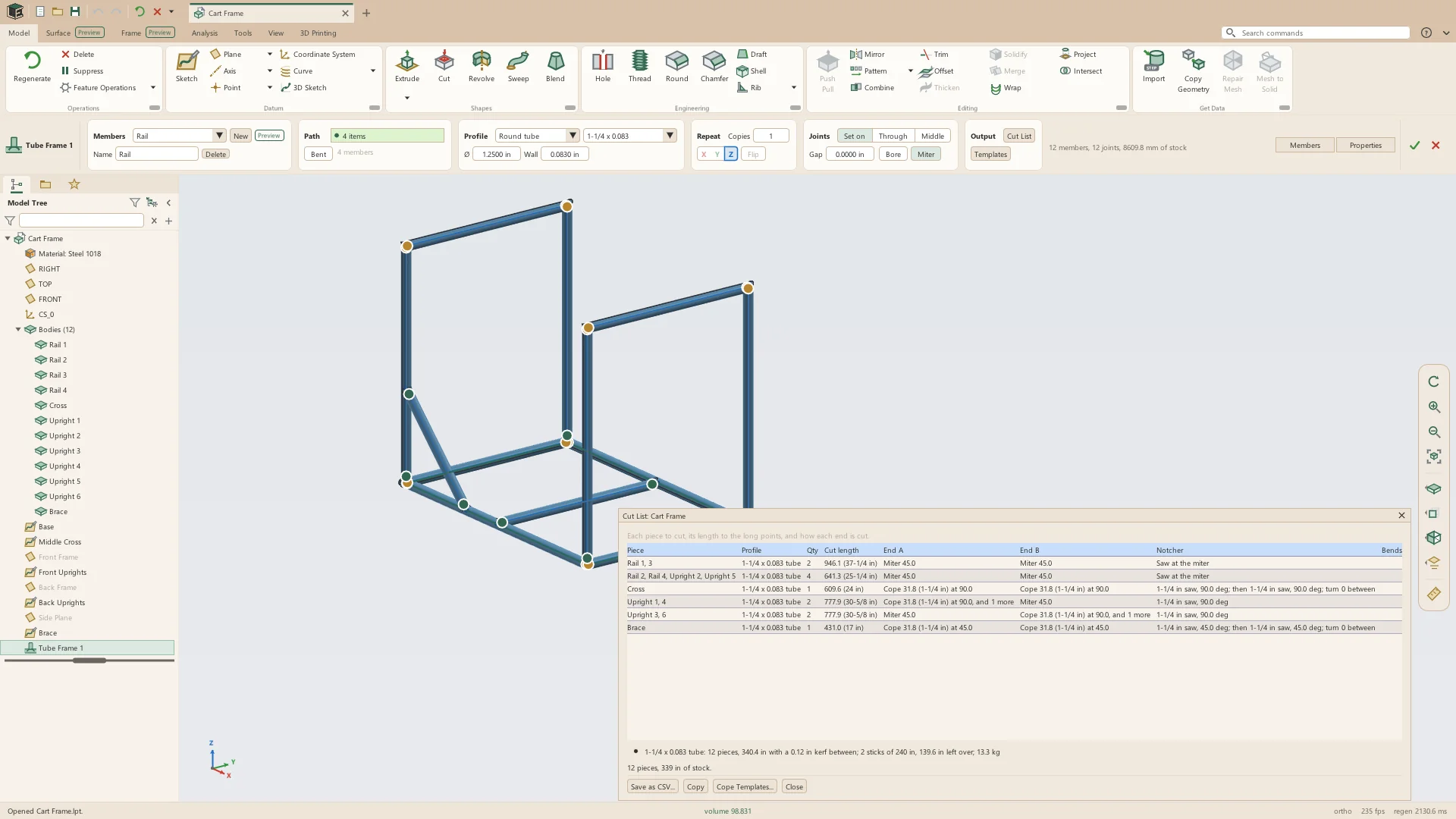
- Pieces alike counted together, with their profile and quantity
- Lengths to the long points, in millimeters, or fractions of an inch in an inch part
- End A and End B: cope, miter or square, with the angle and fit
- The notcher's settings: hole saw, angle and the turn between the two ends' copes
- Bend tables for bent members
- Stock by profile fitted into sticks with the kerf, and what is left over: 20 ft sticks and a 3 mm kerf unless changed
- Mass from the part's material
- Save as CSV, or Copy
Cope templates
Cope Templates writes a PDF with a page for each coped or mitered end of a round member, at true size, to wrap round the tube and cut to the line.
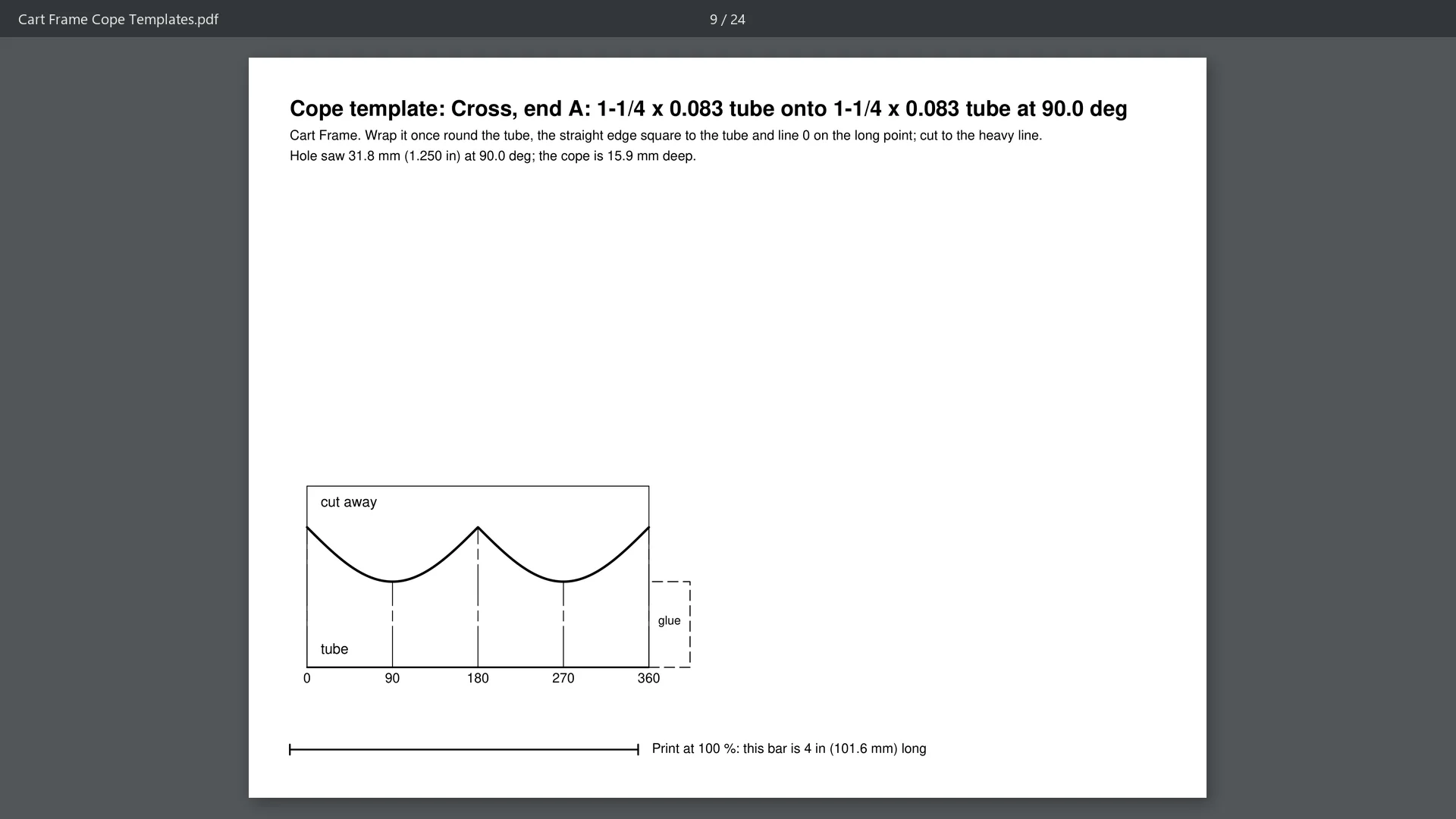
- Letter pages in an inch part, A4 otherwise, laid out landscape
- Quarter lines from the long point, a glue tab and a scale bar
- A tube too large round for one page printed in pieces that say which to join
- Opened in the system's PDF viewer
Members as parts
Save Bodies as Parts writes each member as a part file of its own, named for it, into a folder, for an assembly or for a drawing of each piece.
- One part file per member, named for the member
- Each keeps its body's material and look
- Any single body can also be saved as a part from its right-click menu
See it on your own parts
Beta builds go out by email. Say what you design and what you use now.