 Leta
Surfacing
Surfaces in Leta are bodies of their own, made by the same Extrude, Revolve, Sweep and Blend as solids, and thickened or closed into solids when they are done. The Surface tab gathers the tools for shapes a solid feature cannot make, with patches and faces that meet their neighbors in position, tangency, curvature or its rate of change.
Surface bodies
A part can hold surfaces beside its solids, listed in the model tree's Bodies group, drawn light blue, and picked and measured like faces. Extrude, Revolve, Sweep and Blend make them with Surface switched on, and then take open profiles as well as closed ones.
- Extrude, Revolve, Sweep and Blend as surfaces, from open or closed profiles
- Offset: a copy of a surface, or of a whole body's surfaces, at a distance
- Thicken: a surface grown to one side or both, as a new body, added to the part or cut from it
- Solidify: the solid a closed surface encloses
- Trim: a body divided by a surface or a plane, one side kept or both
- Merge: surfaces sewn along their shared edges, with a tolerance for edges that meet only roughly, and Make Solid for what closes up
- A surface's edges as a sweep's path or a pattern's path
- Surfaces read from STEP and IGES files, and written to both with the solids
- Thicken warns when the surface it thickens folds over itself
The Surface tab
PreviewThe Surface tab holds every surfacing tool in one place, from sketches and curves to checks, and the Model tab keeps its own surface tools. Its Extrude, Revolve, Sweep and Blend start with Surface on, so an open sketch is taken from the first pick.
- Datum: Sketch, Plane, 3D Sketch and Curve
- Shapes: Extrude, Revolve, Sweep, Blend, Fill and Boundary Fill
- Curves: Project, Intersect, Bridge Curve and Edit Curve
- Editing: Trim, Merge, Offset, Copy, Round, Chamfer, Face Round, Extend, Pattern and Mirror
- Faces: Rebuild Face, Freeform, Delete Face, Split Line and Pipe Cutter
- Solids: Thicken and Solidify
- Inspect: Zebra, Curvature, Face Direction, Curvature Comb, Continuity and Draft
Fill and Boundary Fill
PreviewFill makes flat faces from a sketch's closed regions, or across a flat loop of edges. Boundary Fill spans any closed loop of edges and curves with a patch that meets the surfaces beside it at G0, G1, G2 or G3, set for every side at once or side by side.
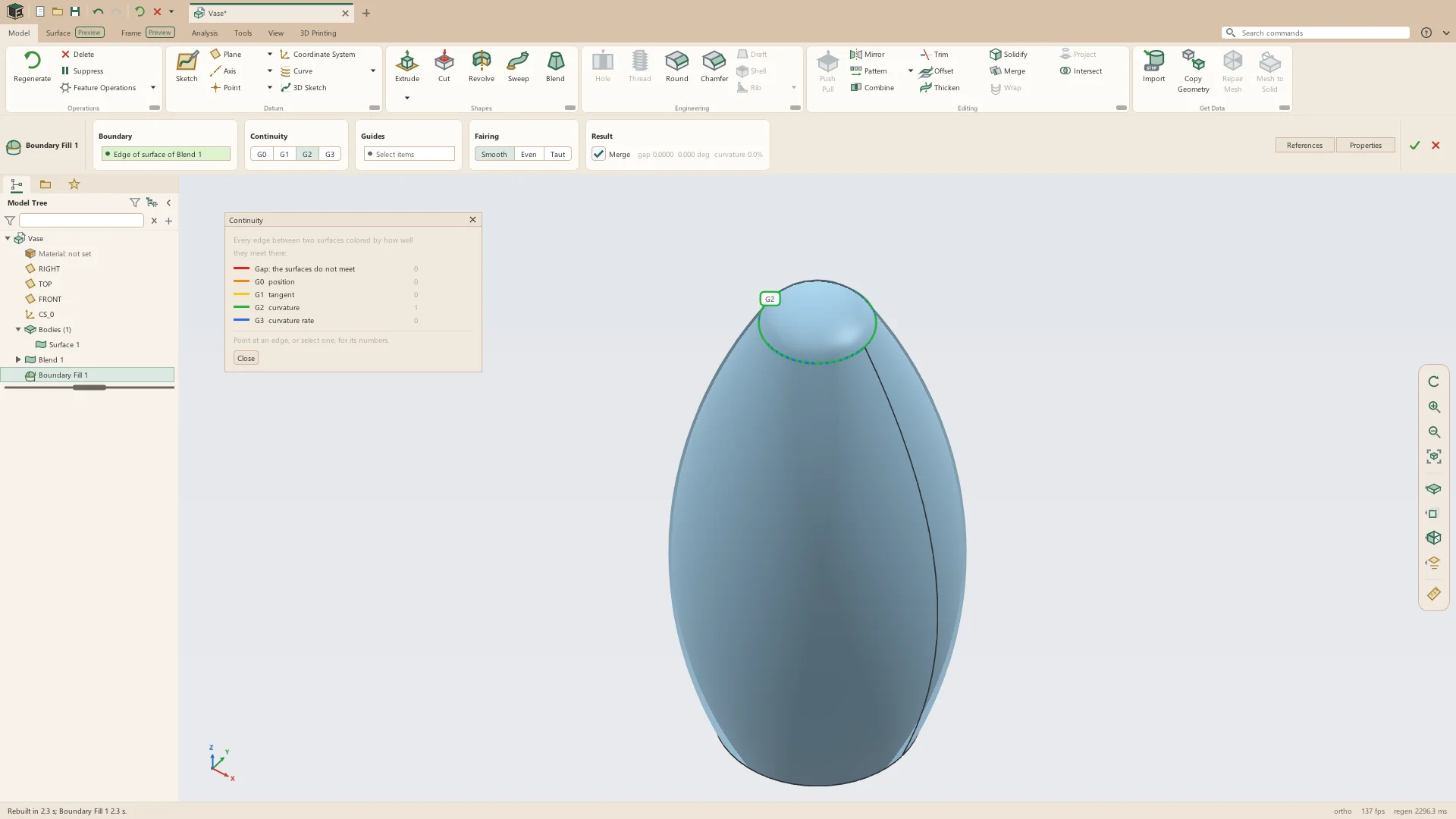
- Sides from model and surface edges, sketch curves, datum curves and 3D sketch curves
- A click on an open edge takes the whole rim round the opening
- G0 position, G1 tangent, G2 curvature or G3 curvature rate, per side
- Guide curves draw the patch into shape, with a strength from 0 to 1
- Fairing: Smooth, Even or Taut
- A patch across four curves is laid out along its four sides
- Sides may run past a corner: each is cut where another side ends on it
- Merge joins the patch to the surfaces it closes, so a tube filled at both ends becomes one closed surface that Solidify makes solid
Rebuild Face and Freeform
PreviewRebuild Face makes a face of a solid or a surface again as a clean net of control points, keeping how it meets its neighbors and keeping its name, so the features built on it still find it. Freeform shapes such a face by moving its control points on the model.
- The net's degree and its number of control points each way
- Each edge keeps G0, G1, G2 or G3 with the face beside it, set by a tag on the edge
- A four-sided face gets a net laid along its four edges
- Control points dragged on the model, or moved by a typed offset
- Moves along the net's U, V and normal, or along X, Y and Z
- Falloff: how many rows of neighbors move with a point, each less the further it is
- Open edges follow the surface as it is shaped
Editing surfaces
PreviewSurfaces are copied, carried on, rounded, cut and mirrored by features of their own, so every step stays in the history and rebuilds when what it was made from changes.
- Copy: chosen faces of a solid or a surface, copied where they lie as a surface
- Extend: open edges carried on along the same surface or straight on, by a distance or up to a surface, a solid or a datum plane
- Round and Chamfer on surface edges; where two separate surfaces touch, the round joins them itself
- Face Round: two crossing surfaces trimmed by each other and rounded where they meet, the pieces to go drawn red and confirmed first
- Delete Face: faces taken out, the opening left open, patched by the faces round it, or filled
- Split Line: faces split where a sketch's curves fall on them
- Pipe Cutter: everything within a radius of chosen edges cut away, as a ball rolled along them would
- Mirror: each surface joined to its reflection, so half a model drawn up to its plane of symmetry comes out whole
- Pattern of surface bodies, as of solids
Curves
PreviewCurves in space give surfaces their edges and guides. Bridge Curve joins two curves with one smooth span, and Edit Curve makes curves running end to end into one clean spline whose control points can be moved.
- Project: a sketch projected onto surfaces as a curve
- Intersect: the curve where two surfaces or planes meet
- Bridge Curve: each end met at G0, G1, G2 or G3, with a tension, a place along each curve to leave from, and Flip
- Bridges between edges of solids and surfaces, sketch curves, datum curves and 3D sketch curves
- Edit Curve: the degree and number of control points asked, and how far the fit strays from the curves
- Control points dragged on the model or moved by a typed offset
Smooth sketches
The sketcher draws splines by their control points and holds curves meeting end to end in curvature, so the profiles surfaces are made from are smooth from the start.
- Splines through points, or by their control points
- Curvature: a spline and the curve it meets end to end held at the same curvature (G2)
- Curvature Rate: the same rate of change of curvature as well (G3)
- Bridge: a spline from the end of one curve to the end of another at G1, G2 or G3, which stays smooth as the curves move
- A spline's control lines shown while the pointer is over it
3D sketch
PreviewA 3D sketch draws points, lines, arcs and splines in space. Points put on the model follow it as it changes, so its curves can guide blends, carry sweeps and bound fills.
- Line Chain, Spline, Control Point Spline, Arc and Point
- Points on a vertex, an edge, a face, a datum, a 2D sketch's point or curve, or an earlier 3D sketch's
- Along X, Y or Z from the last point, or on the XY, YZ or ZX plane through it; Tab steps through Place On
- With Select, a point dragged by its arrows, or its X, Y and Z typed as numbers or expressions
- Free This Point lets go of what a point sits on
- Its curves serve as blend guides, sweep trajectories, Boundary Fill sides and tube frame paths
Blend guides
PreviewBlend follows guide curves that every section touches, lines its sections up by matching points, and can leave its first and last sections square or carry on the faces they stand on. The Guides, Matching Points and Start and End cards hold these, for solid and surface blends alike.
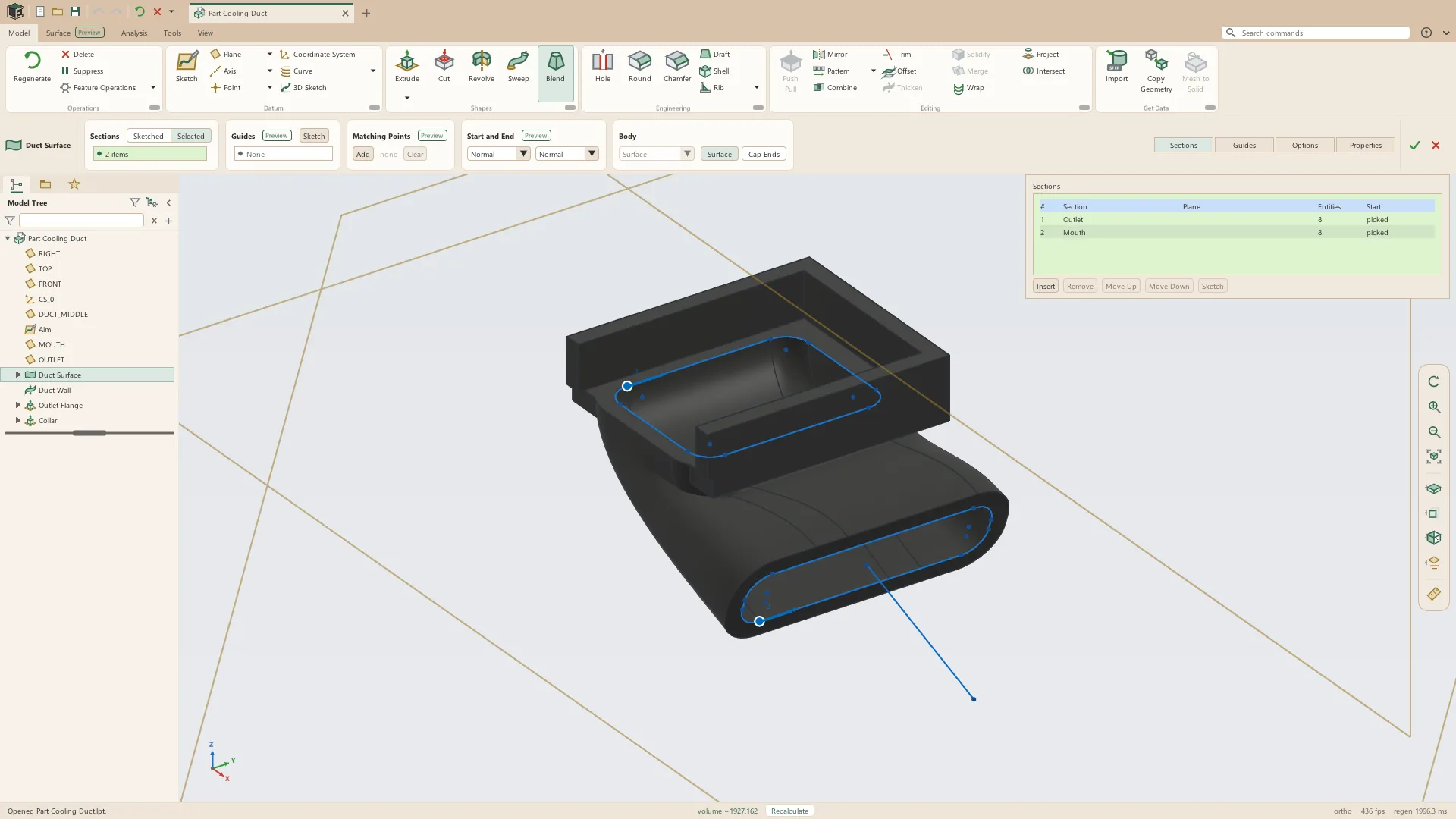
- Guides from sketch curves, datum curves, edges and 3D sketch curves; one that misses a section says which and by how much
- Sketch, in the Guides card, draws the blend's own guides in 3D on its sections' outlines
- Matching Points dragged along the outlines, so the sides between unlike sections do not cross; each stretch between them is a face of its own
- Start and End: Free, Normal to the section, or Tangent to the part's faces, each with a weight
- Smooth blends are cubic along their length, so a blend through five or more sections does not swing wide of them
- A blend that folds over itself says between which sections
Surface checks
Five checks color the model to show how smooth its surfaces are and how they meet, and stay on while their window is open. They are in the Analysis tab's Surface Quality group, and in the Surface tab's Inspect group beside Draft.
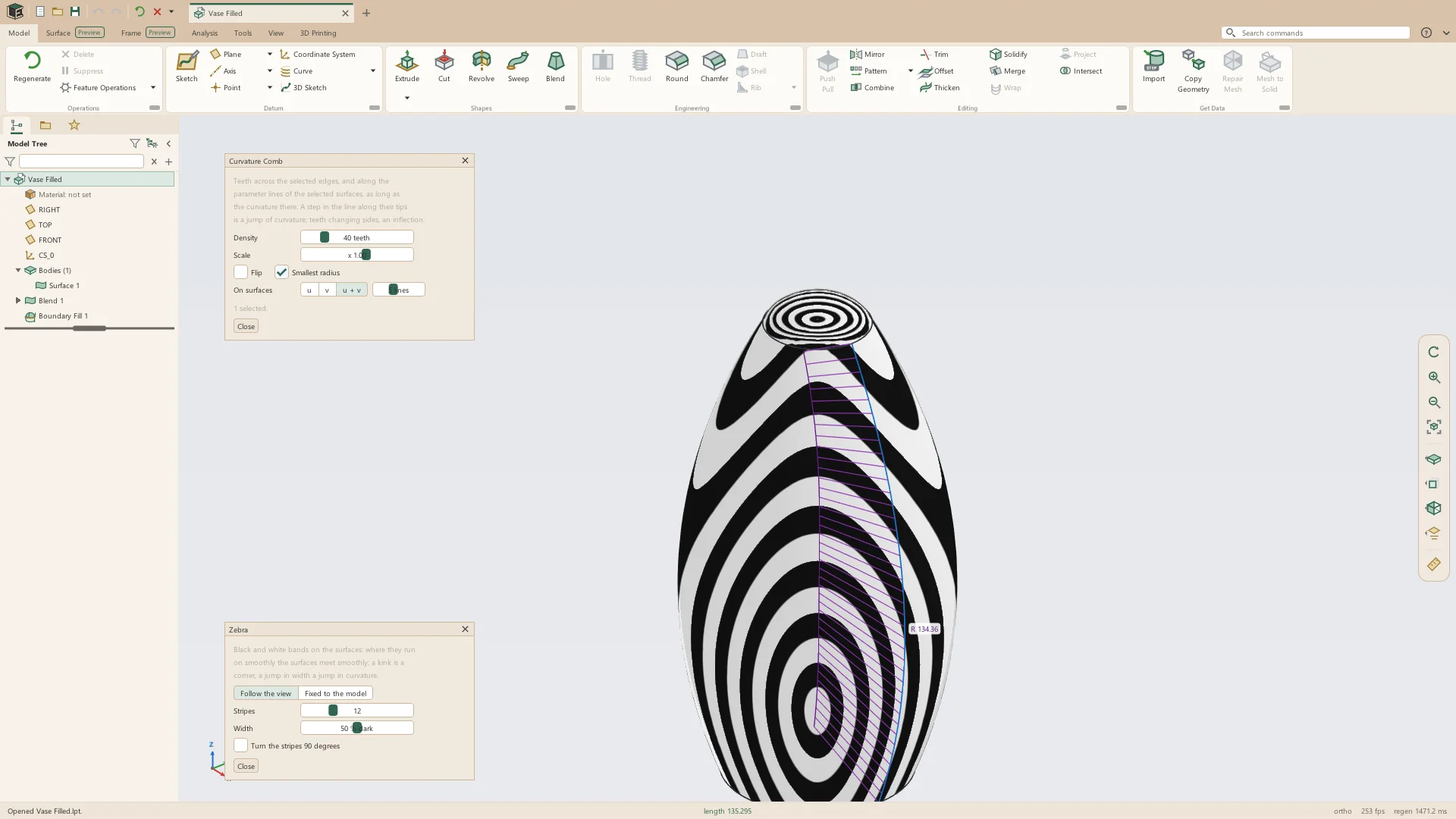
- Zebra: stripes that move as the view turns, or fixed to the model, with their count, width and light direction
- Curvature: Gaussian, mean, maximum or minimum curvature, or the radius, over an automatic or typed range, as a gradient or in ten bands
- Face Direction: the side each face's normal points to drawn blue, the other side red
- Curvature Comb: teeth across edges and along faces, each comb's smallest radius labeled
- Continuity: every edge between two faces colored by what it reaches (a gap, G0, G1, G2 or G3), with the numbers for the edge under the pointer
- Draft: faces colored by how far they lean from a pull direction
See it on your own parts
Beta builds go out by email. Say what you design and what you use now.