 Leta
When using printer sometimes it says it "cannot find the printing app" another printing issue is the drawings with shading print super weird (not on the lines) a work around is to print to pdf first.
"Print app" issue
3 replies
Thanks. Fixed for the next release: shaded views printed off their lines when a landscape sheet went onto portrait paper. The shading now turns with the lines, and the print dialog starts in the sheet's orientation. The "cannot find the printing app" message isn't one of Leta's, so it's probably from Windows or the printer driver. Could you post its exact wording (or a screenshot) and your printer model?
It does look like a printer driver, and the only issue is that previews are unable to be shown. My work around is to just print from PDFs which is my standard practice anyways.
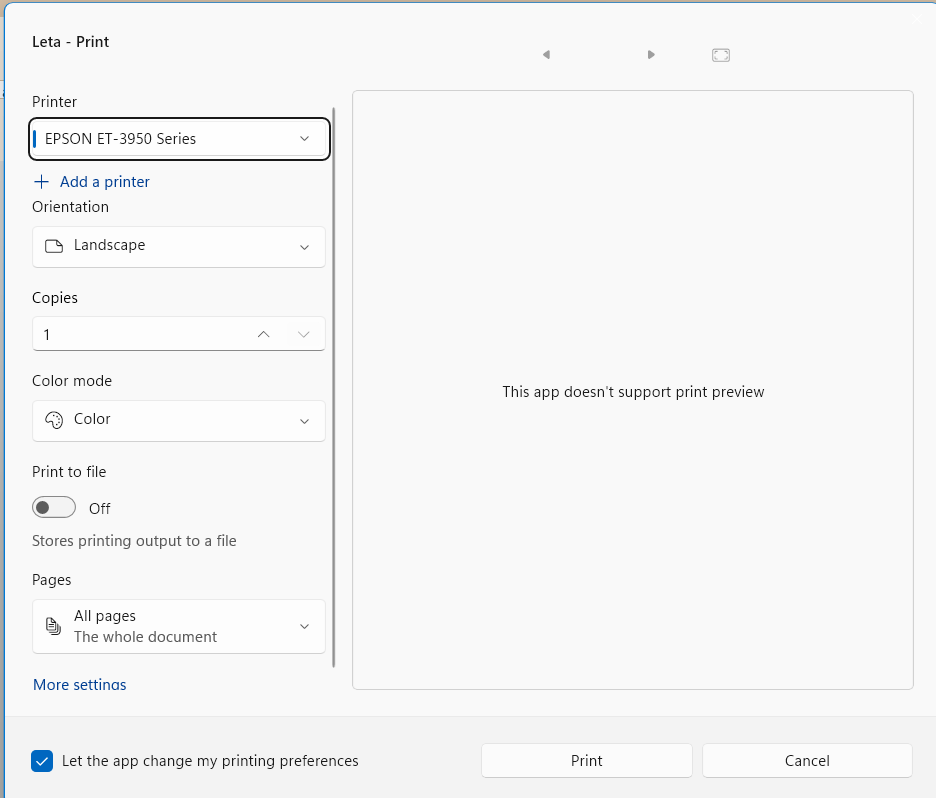
Thanks for the screenshot. Windows' dialog can only preview programs that hand it pages a certain way, so I gave Leta a preview of its own: for the next release, Print opens a Print Preview first, showing the page on the default printer's paper (portrait or landscape) exactly as it will print, scaled and turned as needed, sheet by sheet. Print... then goes on to Windows' dialog with that paper. It works for parts and assemblies too.
Sign in to reply.